Notice: Function _load_textdomain_just_in_time was called incorrectly. Translation loading for the wp-captcha domain was triggered too early. This is usually an indicator for some code in the plugin or theme running too early. Translations should be loaded at the init action or later. Please see Debugging in WordPress for more information. (This message was added in version 6.7.0.) in /www/wwwroot/upnews360.in/wp-includes/functions.php on line 6260
Uttar Pradesh News Portal - Page 25 of 53 -
Categories
Government

Ration Card Patrata Parchi OR MP राशन कार्ड पात्रता पर्ची Download !

Patrata Parchi

What is Ration card patrata parchi? Ration card is made in almost all states in India. The people of India get a lot of benefits from the Ration Card, which helps the poor families a lot from the government, like APL, BPL,  BPL card is made for people coming below the poverty line. They are being given free ration on ration card every month or also at a subsidized rate from the government.

The Government of Madhya Pradesh has also introduced the same scheme for their people. The government has started to follow the National Food Security Act for the distribution of food to the people of Madhya Pradesh. To check Aadhar card status By Name and Date of Birth online 2024.

What is NFSA?

NFSA or National Food Security Act was passed on 10 September 2013. Its objective is to provide ration for the sections which are weak in economic condition. The ration is provided to the people falling in the poverty line in the minimum amount based on this act.

Ration Card Patrata Parchi

NFSA List Download

The applicant has to check whether they are eligible for this scheme of the government. For this, they have to check the NFSA list. The NFSA list can be easily downloaded by following the below-mentioned steps.

  • First of all, go to the official website of the Madhya Pradesh Food Security Act.
  • Then go to the Ration Card Samagra Portal.
  • After that, a page will open where you have to enter your overall ID.
  • You have to check your ration list for the month; you enter the verification code by entering the date and overall family ID for that month.
  • After that, your NFSA Patrata Parchi opens which can be downloaded.

The eligible applicants can get NFSA Ration Card Patrata Parchi. Ration card is also used as an official document in which the complete details of family members are present

MP Ration Card Patrata Parchi Download

Ration Card Patrata Parchi is a type of list in which an individual’s family NFSA overall list occurs. Through this, they can get the Ration Card of their family.

The steps are simple. The applicant has to visit the official site – nfsa.samagra.gov.in. From this site, they can easily download the Ration Card Patrata Parchi.

 Madhya Pradesh Ration Card Patrata Parchi

The resident of Madhya Pradesh can take advantage of the scheme related to Ration Card. For this, they should have a ration card. Tho have a ration card, the residents need Patrata Parchi. To download the Ration Patrata Parchi online, the residents can follow the below-mentioned steps.

  • First of all, the residents have to go to the official website of NFSA Samagra id. The official website is http://nfsa.samagra.gov.in/
  • NFSA home page opens on the screen. On the screen, the applicant has to click on “Download Patrata Parchi for food items”
  • On the next page, the applicant has to enter their overall family ID, month, and captcha code and click on download.
  • After this, the ration card Patrata Parchi will be displayed on the screen in which there will be eligibility related to their ration. They can also download it in PDF.

Addition of Names in Madhya Pradesh Ration Card Patrata Parchi

The applicants can add their family members to the Ration Patrata Parchi. To add the name of a family member to the Madhya Pradesh Patrata Parchi the applicant can follow the below steps:

  • Go to nfsa.samagra.gov.in.
  • Now click on the option to register members in the overall civil service column.
  • After that on the next page, fill in the Composite ID, after filling in the Composite ID and Captcha Code, click on Get Family Details.
  • Now, the information about their family will be displayed. In this click on “Add Member” below .patrata-parchi-me-Naam-Kaise-jode
  • The Form page will be opened where they have to fill all the information of the member in it and after filling the form, click on “Add Member in Family”.
  • Now an OTP will be sent to the registered mobile number to add the member, submit the OTP.
  • Documents of the member to be added to its Patrata Parchi, upload the requested document, and submit it.

The document to add the name to Patrata Parchi is – 10th mark sheet, Aadhar card, voter ID card, Ration magazine, pan card, Passport, driving license, Official credentials, Identity card issued by public sector unit, Certificate of Disability issued by Medical Board. Know about PM Kisan Aadhar link details with helpline number.

राशन कार्ड पात्रता पर्ची

राज्य के खाद्य सुरक्षा विभाग के सहयोग से, मध्य प्रदेश सरकार ने एक पोर्टल सांग्रा पोर्टल लॉन्च किया है। इस पोर्टल का उद्देश्य मध्य प्रदेश के नागरिकों को राज्य की राशन कार्ड सेवाओं का लाभ उठाना है। राज्य के लोग नई राशन की दुकानों के आवंटन के लिए ऑनलाइन सिस्टम, ऑनलाइन पीओएस मशीन पंजीकरण सेवाओं, रोकथाम, ट्रैकिंग सिस्टम और अन्य सेवाओं जैसी विभिन्न सेवाओं का लाभ उठा सकते हैं। इसके अलावा, आवेदक राशन कार्ड पात्रता पर्ची या पत्र पारची जैसी राशन कार्ड सेवाओं को डाउनलोड कर सकते हैं।

Frequently Asked Questions and Answers

  • What is Ration Card Patrata Parchi?

Ans: The Patrata Parchi is a list that opens through NFSA and contains all the information related to the ration card of the eligible citizens.

  • What is the full form of NFSA?

Ans: The full form of NFSA is National Food Security Act.

  • How can we download Madhya Pradesh’s Ration Card Patrata Parchi?

Ans: Patra Parchis of Madhya Pradesh National Food Security Act can be downloaded by going to the official website of the Samagra. The steps involved in downloading the slip are discussed in the above article.

  • From which website should the Ration Card Patrata Parchi be removed?

Ans: Just like the addition of members, removal of ration card Patrata Parchi can be done from the official site of NFSA – nfsa.samagra.gov.in.

  • When was the Food Security Act introduced?

Ans: The Food Security Act was introduced on 10 September 2013.

What is a NFSA List?

NFSA List indicates the eligibility of the public for Ration Patrata Parchi. Based on this, the ration is provided to the people falling in the poverty line in the minimum amount.

What documents are required to add a name to the ration card Patrata Parchi?

The Patrata Parchi requires documents such as disability certificate, Aadhaar card, identity card, Aadhar card voter, PAN card, ID card, ration magazine, official identity card, driving license, passport size photo, etc.

Final Words

This article highlights the important points regarding Ration Card Patrata Parchi of the state of Madhya Pradesh. The topics related to NFSA, downloading of NFSA List, a process to download Madhya Pradesh Ration Patrata Parchi, the addition of members, deletions, etc. are also discussed.
Categories
General

Indane Gas Booking Number & Registration Online Toll Free !

What is Indane Gas?

How to know Indane gas booking number? In this article we know all the details step by step. Indane is a Liquefied Petroleum Gas (LPG) brand acquired and held by Indian Oil Corporation in India. It is the world’s second enormous LPG marketer. The brand insane was originated in 1964 to induce modern cooking in Indian kitchens.

Indane accomplishes more than ninety million households through a network of ninety-one hundred suppliers, out of which around twenty-seven percent of its consumers lives in semi-urban or rural markets and every second LPG cooking gas links in India is of Indane.

Indane is thus, a suitable fuel for modern kitchens, compatible with security, reliability, and comfort. Many other information related to gas like know IOCL application number online.

Indane Gas Booking Number

When Does The Number of Cylinders Usually Change?

On 1st November 2020, the Indane Gas booking number had changed. Indian Oil has instructed one widespread number for Indane LPG (Liquefied petroleum gas) refill booking across the nation for consumer comfort. From now onwards if you want to book a gas cylinder, you need to call on this number 8454955555.

The availability of this service is convenient 24×7 for the consumers. The prevailing policy of telecom phone numbers for booking Indane LPG refills will be ceased after midnight and the common booking number for LPG refills i.e 8454955555 will be in force.

Different Ways of Indane Gas Booking Online

There are generally three ways of booking indane gas cylinder via SMS, Whatsapp, and IVRS.

SMS

You need to follow these simple steps for registering or booking an indane gas cylinder:

  • SMS IOC in the message box
  • Enter STD Code along with supplier’s phone number followed by a Consumer Number
  • Suppose, if you are a consumer from Madhya Pradesh and the supplier’s mobile number 4466543678 and the consumer ID is KY00597B, SMS as given below – IOC 044 25022890 KY00597B
  • For the next booking, you can simply SMS IOC to the particular number (distributor’s no.) through the registered mobile number.

Indane Gas Booking Number Whatsapp

If you want to register or book a cylinder through WhatsApp then you have to follow the given procedure :

  • Open the WhatsApp app, then open the conversation to deliver a message. To book or can place an order of their LPG refills by just typing ‘REFILL’ on WhatsApp and send it to this number 8454955555.
  • To recognize the status of the gas booking, you will have to send STATUS# and the order number and deliver it on the same number as given below: 8454955555.

IVRS Indane Booking Number

Check and follow the points that are listed below to book an Indane Gas refill through IVRS.

  • Go into the setting option on your mobile. Choose the language you prefer either Hindi or English.
  • Subsequently, the language had been chosen now the consumer will have to give the STD code and the mobile number of the supplier.
  • For instance, a consumer in Madhya Pradesh will have to provide the STD code of 088, come next by the supplier number.
  • Once the supplier is recognized, the caller will have to give the customer number.
  • The consumer will have to just give the numerical part by preventing any alphabets. For example, if the consumer ID is S98757, the consumer must dial 98757.
  • It will take some time bit once consumer number is verified by the IVRS, the policy will raise a question for the
  • Choice of booking a refill and other relevant services.
  • You can select from choices like refill booking, inquiry of the previous booking, and complaints.

The request will be filed and the booking reference number will be produced and delivered to your registered mobile number.

Steps to book an LPG cylinder by obtaining the Indane Gas Booking or registering Number

Here’s is how to order our book an LPG cylinder via Indane Gas booking number:

  • Indane Gas Booking number 8454955555

is the most useful way to book Indane Gas online.

  • Call this number 8454955555.
  • Give your Indane supplier’s mobile number with STD code.
  • Submit your Consumer number.
  • Verify LPG Gas cylinder refill. LPG Gas booking verification will appear via SMS on your registered mobile phone.

What if In Case Indane Gas Phone Number is Not Registered?

If your mobile number is not accessible in Indane lists, then one-time signup of your mobile number should be performed by entering your 16-digit customer ID beginning with the number7.

  • This should be fulfilled by verification of your phone number at the time of the same IVRS call.
  • Once the authorization is finished, your mobile number will be enrolled and the LPG refill booking will be submitted.

Indane Gas Booking Phone Number

As we know many people want to know about Indane gas booking number online. Here we shared State & city wise gas booking number like Indane gas booking number Bihar, UP, Punjab, MP and so on.

State City Indane gas booking number
Arunachal Pradesh Itanagar 03602244382
Andhra Pradesh Amaravati 9848824365
Bihar Patna 9708024365
Chandigarh Chandigarh 9781324365
Delhi Delhi 9911554411
Gujarat Gandhinagar 9624365365
Haryana Faridabad 9911554411
Jammu & Kashmir Srinagar 9876024365
Jharkhand Ranchi 9708024365
Karnataka Bengaluru 8970024365
Kerala Kochi 9961824365
Madhya Pradesh Indore 9669124365
Maharashtra Mumbai 9223101260
Odisha Bhubaneshwar 9090824365
Punjab Ludhiana 9781324365
Rajasthan Jaipur 9785224365
Tamil Nadu Coimbatore 8124024365
Telangana Hyderabad 9848824365
Uttar Pradesh Ghaziabad 9911554411
West Bengal Kolkata 9088324365

Search Terms

In this section we shared some basic search ideas related to Indane gas online booking that users usually search in the Google.

  • Indane gas consumer number
  • Online refill booking indane gas
  • IVRS gas booking number
  • Cylinder booking number indane
  • Check indane gas booking status
  • Indane gas online number
  • New gas booking number indane
  • Indane gas booking without registered mobile number

Frequently Asked Questions

  • What are the price rates for a basic Indane gas cylinder?

Ans: The basic price rates for Indane gas cylinders would rely on the recent price of LPG, and also depend on whether the consumer has referred to for the LPG subsidy.

  • What are the documents needed to refer for a fresh Indane LPG connection?

Ans: When referring to a new Indane LPG connection, one  to have all the documents written below

  • Evidence of address document
  • A similar copy of either an Aadhaar card, PAN card, voter Id card, driving license, rent approval, and ration card.
  • What is consumer number in Indane gas booking?

Ans: 16 digit consumers is mentioned in Indane gas cash memo/ invoice or voucher.

  • How can I book Indane gas by missed call?

Ans: You can directly give a missed call to 8454955555 from registered Mobile number to book Indane gas cylinder.

  • How can I change my Indane gas Mobile number?

Ans: To change your  Indane gas mobile number  visit website and login in your account. In personal details section you can see option to change mobile number.

About LPG

Indane gas (LPG) is a mixture of Butane and Propane readily dissolved under normal pressure. Since LPG has just a dull odor because a mercaptan odorant is put in into it to help in its detection. In the incident of an LPG leak, the vaporization of liquid cools the environment and compresses the water vapor included in it to set a whitish fog, which is simple for examination.

Conclusion

Hope you know all the detail information regarding Indane gas booking number online, contact phone number, change mobile number and more. Still if you thing anything is missing please let us know via comment section.

Categories
Finance

IOB Retirees Portal OR Pension Portal With e Statement Online !

IOB Retirees Portal Medical Insurance

What is IOB retirees portal? Indian overseas Bank is a bank which specialises in all kinds of foreign exchange trade or marketing. The bank was founded by Shri M.CT.M Chidambaram Chettyar. The bank was founded at the dawn of independence with 38 branches in India and 7 branches abroad and the deposits of and about Rupees 6.64 crores.

Indian overseas bank pension portal provides access to pension information for employees of Indian Overseas Banks (IOB). The portal has comprehensive information on IOB pension schemes and also allows users to search for retirement pensions. The IOB portal was launched in May 2013 by the Pension Fund Regulatory and Development Authority (PFRDA). Now let us understand in simple term what retirees portal is and how does it functions?

IOB Retirees Portal
IOB Retirees Portal

What is IOB Retirees Portal?

The English word ‘retiree’ means to retire from a company or institution or bank and then get benefit from the same institution as being served in that particular bank for years. This is a very crucial and important part of any government sectors.

Know About: PNB bank lunch timings

As we know that Indian overseas bank follows the norms and rules of the parenting bank and that is Reserve Bank of India. Now we should know the Reserve Bank of India puts infront two sets of topics where the retired individual will get benefited from the bank. The two topics are-

  • Pension
  • IOB Medical insurance

IOB Pension Portal

There are three conditions on which the workers/ employers can join the pension portal for demanding the same.

  • Were in the service of the bank before 29th September 1995 and has retired after the same mentioned date and before the date of settlement.
  • One has to become the member of the pension farm or fund.
  • There will be an option from where you want to have your pension. Here you need to select the bank branch.
  • One needs to refund within 30 days from the date of acceptance by the bank.
  • Now one has to accept the whole amount of the bank’s contribution as provident fund. From here the interest accrued there on received by the employer or officer on compulsory retirement together with the payment over and above the said amount at 56% of the amount.

The option for joining the pension Scheme shall be extended only to the eligible families. Here eligible families means the families who have a compulsory retired member from Indian Overseas Bank (IOB) Here one needs to have both the criteria workable to be a part of pension scheme.

Overview of IOB Retirees Portal OR Pension Portal

In this section we shared information regarding IOB retirees portal or pension portal as mentioned below:

IOB Bank Details
Bank Name Indian Overseas  Bank
Name of Portal IOB Retirees portal or Pension portal
Who Benefits This portal help regarding IOB retired employee’s pension related query
Beneficiaries Retiree employee or Ex Staff
IOB Retirees Portal Helpline Number 1800 890 4445


Criteria Stated by Reserve Bank of India for Retirees Portal:

These are the two most important criterias as stated by the Reserve Bank of India. Another retirees portal which opens for the general retired workers/ employers is Medical Insurance.

The Indian Overseas Bank is a bank which provides all kinds of medical support to its employers under the title of Indian Overseas Bank Health Care. This health care provides health care service to the employer and his family. Family comprises of-

  • The proposer or the employer
  • The spouse of the employer.
  • Two dependant children
  • Dependent parents

The main thing here is the employer gets regular policy for all of its family members designed for individual goal and creating a report on the basis of their health presently. This is a difference which Indian Overseas Bank creates which is different from all the regular ones. The Indian Overseas Bank also takes the responsibilities of hospitalising of the employees in certain scenario and events. Like–

  • Sudden illness
  • Any kind of Accident
  • Any surgery that is required for any kind of diseases.

The employees can have these medical policies in the course of their duty.  To be a part of this gigantic scheme a employer just needs to be a part of Indian Overseas Bank and fill of form of IOB Health Care Unit. It also includes the basic personal detailing form and a declaration of good health is also promised and stated.

The premium of this health care will be debited to the account after the authorisation is given. The insurance covers one year from the date of debit of the premium. The document required for the same are-

  • The copy of the proposal form.
  • ID card will be issued by the bank after the completion o the whole formalities.

How to Login in IOB Retirees Portal Online

The steps to login in the IOB retirees portal are–

  • First of all need to go to the IOB retirees Staff Portal website
  • Next enter your username & password
  • Finally click on “login” button

Sometimes the password is referred as roll number. Through this we may enter the portal and click on pension or medical services whatever we want to.

Frequently Asked Questions

  • How do I get my IOB Statement?

Ans: If you want IOB statement online then visit official website and login via your username & password. Then click on “service option” there you show “IOB e statement”. This way you got your IOB statement online.

  • How do I check my IOB mini statement?

Ans: You can check your IOB mini statement via Missed call, SMS banking, Mobile banking or Internet banking.

Final Words

The Indian Overseas Bank Pension Portal is a great resource for those in India who are looking for information on pensions. We hope you know all the details about IOB retirees portal or pension portal, how to get IOB mini statement and more. Still if you have any query or question please let us know via below section. We will our best try to include more information.

Categories
Education

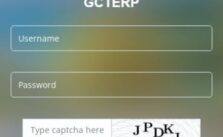
GCT Portal Login OR GCT Student Portal Online 2024 !

What Does GCT Stand For?

What is GCT portal? GCT also considered as the Government College Technology is one of the best Engineering universities situated in Coimbatore. The college was initially known as the Arthur Hope College of Technology. There are nine Undergraduate programs and eleven Postgraduate programs offered by the college.

The institution has played a vital role in academic and technological developments.  The outstanding faculty for each department and the unique infrastructure of the college attract students from different parts of the country. Know more about MP education portal or Saara login portal online.

GCT Portal
GCT Portal

It also has tie-ups with large organizations such as Public Sector companies and different industries. It also participates in several programs such as the Quality Enhancement in Engineering Education program of Higher education.

Vision and Mission of GCT Portal

One of the main vision of the institution is to make the students technologically competitive by imparting excellent technical education and also contribute to the development of the people through technical education.

The mission of the college is to excel in the field of academics and also enhance the employment scope for its students. It aims to improve and make the research more advanced to meet the needs of society.

Facilities Provided By GCT Portal

The institution provides a wide range of facilities for the comfort of its students and their welfare. The students coming from far off cities can stay in the college hostel, which also keeps the students disciplined. Being in links with large industries and companies the college also offers the placement facility once the students have cleared their examination.

There is a separate quarter for the staff, where they can stay. The campus has its own canteen and also provides certain medical facilities. It also consists of two different cells for Women Empowerment and Entrepreneur Development. Among other basic facilities includes Transport facilities, training center, and also cooperative stores.

Administration

The various members that are a part of the administration of the college comprise Principal, Governing Council, Placement Officer, Associate Warden, Controller of Examinations, Staff Directory, Zonal Office, Key officials, Heads of Departments, Disability Resource Centre, TN MBA/MCA Information Centre

Contact Details

In this section we shared GCT portal contact details like contact number, address & more as mentioned below:

Address- Thadagam Road, Tamil Nadu- 641-013

GCT Portal Contact Number- (0422)- 2432221

Email id- prinicpal@gct.ac.in

Courses Offered

There are four main courses offered by the Government College of Technology:

  • Tech or Bachelors in Technology
  • E or Bachelors in Engineering
  • E.or Masters in Engineering

Admission Procedure

  • For admission in the B.E., the candidates have to appear for the TNEA examination and select their course accordingly.
  • For M.E. admission, the candidates need to appear for the TANCET exam in order to select their course. Even the candidates who have passed the GATE exam can get admission for M.E.
  • In case the candidates wish to get admission for Ph.D. or M.S., then the selection list is based on the merit of the students and made by Anna University.

How to Login into GCT Portal

Logging in to the GCT portal is simple and easy, as easy as operating the system itself. The user just needs to follow certain simple steps for acquiring the desired result. The steps are as follows:

  • First, visit the official website of GCT.
  • Type in the student portal user ID
  • Type in the portal password
  • Click “login”

Apart from this, the user can also log in with Google with the help of the GCT email ID.

How to Reset Password in GCT Portal

The student login page shows the “Forgot password” option. Under any circumstance, if the user forgets the portal password, this will help.

  • Visit the official website of GCU
  • Type in the user ID
  • Click “forgot password”
  • This will open a new page
  • Type in the new password
  • Confirm the new password

This will complete the process.

Conclusion

All the details mentioned in the article will give you important information regarding the GCT portal institution and also would clear all the doubts if you have any. With an astounding faculty, the institution is a preference of many.

Categories
Government

Saara Portal MP Gov in Login [स्मार्ट एप्लीकेशन फॉर रेवेन्यू एडमिनिस्ट्रेशन]

What is SAARA Portal MP?

The SAARA portal MP is an abbreviation of the Smart Applications for Revenue Administration. It is a great initiative by the Revenue Department of the Madhya Pradesh government. Not just an official website, the MP government has also introduced an application for this portal.

Through this app, the government reports cases of revenue cases, crop harvesting experiments, crop reports, inspection reports of cases under RBC 6-4, distribution, nomination.

Saara Portal MP
Saara Portal MP

The Madhya Pradesh Agency for Promotion of Information Technology is a government body that has been entrusted with the task of the growth of Information Technology (IT) in Madhya Pradesh. This government society coordinates with investors and industry undertakes the functions assigned by the State Government, and encourages Information Technology related activities and innovations in the state. MP Vimarsh portal 2024 online.

स्मार्ट एप्लीकेशन फॉर रेवेन्यू एडमिनिस्ट्रेशन

मध्य प्रदेश सरकार ने राजस्व प्रशासन के लिए स्मार्ट एप्लीकेशन फॉर रेवेन्यू एडमिनिस्ट्रेशन या सारा पोर्टल नामक एक पोर्टल लॉन्च किया है। यह पोर्टल हम सभी को कई सुविधाएं प्रदान करता है, इस पोर्टल के माध्यम से आप सरकार द्वारा निकाली गई सभी योजनाओं के बारे में जानकारी प्राप्त कर सकते हैं। इस पोर्टल से आप अपनी जमीन की गिरदावरी भी प्राप्त कर सकते हैं, पहले आपको अपनी जमीन की गिरदावरी पाने के लिए ई-फ्रेंड अप्लाई करना पड़ता था, लेकिन अब आप इस पोर्टल के जरिए आसानी से अपनी गिरदावरी पा सकते हैं।

What Does SAARA Portal Offer?

The SAARA portal MP offers the following services to users. They are as follows:

  • Reports of the crop Girdavari- This includes a district-wise report of Girdawari, village-wise, and crop-wise progress reports of a complete area.
  • PM Kisan Application- This includes the User Manual, Presentation, Workflow and a new application version
  • Kisan App
  • Crop Cutting experiments- This provides information about the crop harvesting experiment reports. This includes the district-wise report on crop harvesting experiment, district wise Revenue and agriculture status, Agriculture On-Boarding Status
  • CM Kisan Kalyan Yojana
  • Swamitva

Step by Step Saara Portal MP Login Procedure

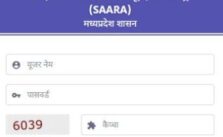
Logging into the SAARA portal MP is an easy and quick process. To sign in to the portal, one needs to follow the steps given below:

  • Visit the official website of the SAARA portal- http://saara.mp.gov.in/saaraweb/instructions.html
  • Click on ‘Login’ on the top right corner of the page
  • Enter ‘Username’ and ‘Password’
  • Enter the captcha in the space available
  • Click on the ‘Login’ button

How to Login into SAARA Portal With Single Sign-On?

Not just by logging in directly to the SAARA portal, one can get access to the portal by signing in to the Madhya Pradesh Single Sign-On. To login through this portal, one needs to follow the steps given below:

  • Visit the official website of the SAARA portal- http://saara.mp.gov.in/saaraweb/instructions.html
  • Click on ‘Login’ on the top right corner of the page
  • Click on the ‘Single Sign-On’ option
  • Enter your Single Sign-On ID or email id
  • Enter your password
  • Enter the Security Code in the given available space
  • Click on ‘Sign In’

How to Reset Password in SAARA Portal?

It is a very common thing to forget one’s password for any portal while logging in. But the users need not worry about this because they can easily reset the password. The steps to reset the password is given below:

  • Visit the official website of the SAARA portal- http://saara.mp.gov.in/saaraweb/instructions.html
  • Click on ‘Login’ on the top right corner of the page
  • Enter ‘Username’
  • Click on the ‘Forgot Password’ option
  • A different page will open where you are supposed to reenter your username to recreate the password
  • Enter the captcha in the space available
  • Click on the ‘Get OTP’ button
  • Enter the received OTP and reset a new password
  • Log in by using the new password

Conclusion

The Smart Applications for Revenue Administration or Saara portal MP is a very insightful initiative launched by the Revenue Department of the Madhya Pradesh government. The variety of information that is available on this portal is very helpful to the government to gauge an understanding of the ongoings in the state. Recently an application has been launched by the government which is soon to be accessed by the public as well.

Categories
Education

LPU UMS Login OR LPU My Class Login E Connect Portal !

UMS LPU

What is LPU UMS login? The term UMS stands for University Management System. The distinct universities has always aimed at providing a better education to its students, however in doing so they have to face a lot of problems and challenges.

Thus, the University Management System is software designed to provide an adequate solution to the problems. The UMS tries to restructure your institute and takes it to a level higher.  It offers several benefits to the universities and helps in tackling the various problems of the and challenges faced by the universities.

LPU UMS Login
LPU UMS Login

Features of University Management System OR UMS Portal

As we know that the University Management System plays a major role in the management of various universities and improves their standards of education and their management. Some of the features of the University Management System have been mentioned below.

  • Management of Universities Attendance
  • Human Resource Management
  • Management of University Calendar
  • Online payments or e-payments
  • Management of the website content
  • Online Management of the employees
  • Management of the Library
  • University Membership Management
  • Messaging and Email Management
  • Resource Management
  • Management of Online Admissions
  • Payroll Management
  • Management of the Classroom

Importance of UMS Login LPU

University Management System is a software that allows easy registration of the students to the university. It also saves a lot of time for the students by making their registration process easier. It keeps all the information of the students from their admission till their graduation. Procedure to download ecor pay slip online.

Thus, it maintains and processes a student’s grades, documents, certificates, historical data and other academic reports.  It has reduced the burden of the universities to a great extent by managing different sectors like admissions, registration and scheduling of classes.

How to Login into UMS?

It is easy to login to the University Management System.  Just like any other website or software you need to follow certain steps to login.

  • Visit the official website of the University Management System.
  • Enter your registered Username
  • Fill in the password in the intended space.
  • Click on ‘login’ and you can easily access the University Management System.

Role of UMS in Admissions

  • The UMS manages the application of admissions based on the qualifications and specialization.
  • It classifies the admitted students in different batches according to their colleges and specialization.
  • It extracts the reports and statistical chart so that the percentage of admitted and non-admitted students can be determined.
  • The UMS conducts the level tests for the determination of their courses.

LPU My Class Login

As we know in this section we know step by step guide about LPU my class login procedure as follow below:

  • First of all search LPU My class login in google
  • Else you can visit https://myclass.lpu.in/ website
  • Next enter your username & password
  • Then click on “Login” button

Details of University on UMS

A lot of details of the university are present on the UMS. Some of the details have been mentioned below.

·         E-Notice Board

With the digitalization, the students can get information sitting at their homes. The UMS acts as an Electronic Notice Board and provides all the significant information and other announcements. Be it the achievements of the students and all the other events of the universities.

·         Attendance

The attendance records of the students  are present on the  UMS so that the teachers and the students can keep a record of the attendance. The aggregate attendance of the students are uploaded on the UMS so that the parents can check the status of their child’s attendance on a regular basis.

·         Time table

The schedule and the time period of different classes are present on UMS. when and where the classes of the students will be held. The room number and the block number of the class is going to be held.

·         Results

The grades and marks of the students in each semester and their CGPA is updated on the UMS. Both the parents and the students can view the results on the UMS.

·         Assignments/ Projects/ Term Paper

              The assignment projects of the university are now being made online. Teachers upload                                assignments and documents on the University Management System from where students can easily download it as per their convenience.

·         Date Sheet and Seating Plan for Examinations:

The datesheet of all the examinations are available on UMS. Moreover, the seating plans of the students are uploaded on the UMS, this reduces the difficulty of the students before the examination. At the same time even the allotted room numbers of the students for the examination is uploaded on UMS.

·         Online Registration of the courses

The students can register online for the Departmental Electives and Social electives via the UMS online platform. Know about KYC registration procedure online.

·         Syllabi and Schemes

The syllabi of the various subjects along with the schemes of distinct programmes and activities can be viewed on the UMS.

·         Information and Online Registration for Placements

Well searching for the placements is not at all an easy task. However, with the UMS, this task has become easy. This is because UMS contains all the information about the placements and even plays a significant role in the online registration for the placements.

LPU UMS E Connect

LPU stands for Lovely Professional University. In this we shared all the details regarding LPU UMS e connect login procedure as mentioned below:

  • First of all Visit LPU UMS website or https://www.lpu.in/Login.aspx
  • Next enter your username & password
  • Finally click on “Login” button

Frequently Asked Questions

  • How to login LPU UMS?

Ans: To login in LPU UMS portal visit official website and enter your email id with password.

  • What is UMS in LPU?

Ans: UMS stands for University Management System.

  • What is UMS ID?

Ans: UMS id allocated by @maine.edu.

  • How to change LPU UMS password?

Ans: To reset your LPU UMS password click on “forgot password” button and enter your email id or username. This way you can retrieve your UMS password.

  • How can I pay my LPU fees online?

Ans: If you want to pay LPU fees online then you can pay via Net banking, Debit or Credit card and UPI.

Conclusion

Hope you all the details regarding LPU UMS login. The LPU UMS contains all the important policies and the rules of the University that can be easily known to the students. The faculty, parents and the students all are aware of these rules and regulations. Moreover, other necessary and relevant information about the universities is updated on a regular basis. In today’s world almost all the universities have adapted the University System Management for attaining a standard quality.


Categories
General

ECOR Portal Salary Slip OR Pay Slip Download Online 2024

What is ECOR?

What is Ecor portal? ECoR is an abbreviated form of the East Coast Railway. It is counted within one of the 18 railway zones of Indian Railways. Founded on 1 April 2003, the East Coast Railway has its headquarters in Bhubaneswar.

Although it came into existence in 2003, the East Coast Railway was inaugurated as the first of the seven new zones on 8 August 1996. Since then it has been delivering great services in its concerned area. The East Coast Railway Portal is a great initiative by the government which is easily accessible to the employees. Also know about SFS portal with contact details.

Ecor portal
Ecor portal

The portal allows the employees to view basic information. This includes the employees’ Service Records and payment related information such as  deductions, income tax,  pay and allowances. Details related to their leave balance and seniority is also displayed on the portal which plays a key role in promotions. The most important feature of this portal is a separate section for the registration of grievances.  Employees can register their grievance and monitor status online.

Ecor Portal Salary Slip

The East Coast Railway Personnel Department has launched an EcoR Payslip Portal called RESS Salary Slip Portal. The Indian Railway has Developed RESS Salary Slip Portal and ARIS Railway Slip Portal.

As many people utilize the East Coast Railway, the Railway has designed a portal where passengers can download RESS Salary Slips and AIMS Railway Slips.

How to Download ecor portal pay slip

As we know many employee want to download ecor payslip so here we shared step by step steps for downloading ecor payslip online.

  • First of all visit Ecor portal i.e ecorportal.in
  • After that you can click on login button
  • Next find payslip button and click on that
  • Click on payslip download button
  • Finally you can download ecor payslip

Overview of ECOR Portal

Organization Name East Coast Railway
Department Under Indian Railway
ECOR Email ID sdgm@ecor.railnet.gov.in
Helpline Number 0674 2300230
East Coast Railway Means ECOR
Official Website Ecorportal.in

Divisions falling under the East Coast Railway

The jurisdiction of the East Coast Railway zone extends to over three states. With its zonal headquarters at Bhubaneswar in Odisha, the East Coast Railway encompasses the areas of  Odisha and Bastar, Mahasamund & Dantewada districts of Chhattisgarh and Srikakulam district of Andhra Pradesh. On  29 November 2005, the  East Coast Railway line integrated with the commissioned Howrah-Chennai electrified trunk route.

Later due to electrification along the 765 km Kharagpur-Visakhapatnam stretch, the trains on this line speeded up. This eliminated the need for double headed diesels for high speed express trains thus saving on diesel consumption and a cleaner travel. The major railway stations in the entire zone include Bhadrak, Balangir, Jajpur Keonjhar Road, Titilagarh, Koraput, Mahasamund, Jagdalpur, Kendujhargarh, Palasa,  Visakhapatnam, Bhubaneswar, Cuttack, Puri, Vizianagaram Junction, Sambalpur, Khurda Road, Balugaon, Rayagada, Brahmapur, Angul, Dhenkanal, Balasore, Bhadrak, Balangir.

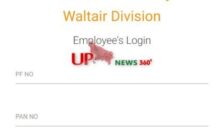
How to Login to the East Coast Railway portal?

The East Coast Railway portal is a suitable platform for the employees of the East Coast Railway. In order to login to the East Coast Railway portal, one needs to follow the steps given below:

  • Visit the official website of the login to the East Coast Railway
  • Enter your PF Number and Pan Number
  • Click on the ‘Login’ option

Contact Details of East Coast Railway

If you have query regarding Ecor portal you can directly reach out to contact email address of Ecor portal as mentioned below:

  • Ecor Email Address: sdgm@ecor.railnet.gov.in

About ECOR Portal

The first train in India was started in the year 1853 on April 16  by Lord Dalhousie from Bombay to Thane. Initially the routes were restricted to a narrow passage, but gradually the area under the railways increased. Gradually the Indian Railways has become a huge organisation with its spread over the length and breadth of the entire country. India is a big country with a massive area covered under railways.

To efficiently coordinate and manage the operations in a smooth and hassle-free manner, the country has been divided into different zones. These zones are further subdivided into various divisions with each division having its own divisional headquarter. Currently there are 17 Railway Zones and a total of 70 divisions in India.

Conclusion

The East Coast Railway portal or Ecor portal is a great platform for the employees to issue notifications relevant to them so that they never miss out on opportunities and deputations inside and outside the Railways. Not just the employees, the East Coast Railway also has something to contribute to the society as a whole. This year on July, 16, it took an initiative to scrap out all the disposal to make the environment clean.

Categories
General

UDISE Code Status Online 2024-22 & Check UDISE Number

What is UDISE Code?

What is UDISE code and how to check UDISE code status online? UDISE Code is an abbreviated form of the Unified District Information System for Education. It is a great system developed by the Ministry of Education, Government of India which integrates the school databases.

This system is based on the all-India level and deals with school-related operations in the country. The main purpose of the Unified District Information System for Education is to effectively monitor the Government educational programs and strengthen the educational information management system in India.

UDISE Code Status
UDISE Code Status

UDISE was formed by integrating the Elementary Level District Information System (DISE) and Secondary Level of the Secondary Education Management System (SEMIS). For successful implementation of the system, UDISE collects and categorizes the data of schools at various levels. All this classified information can be accessed easily through the UDISE Code. It is a 13 characters long code using which one can get any.

यू-डीआईएसई के बारे में

U-DISE कोड का मतलब शिक्षा के लिए एकीकृत जिला सूचना प्रणाली है।

यह वर्तमान में भारत में कई स्कूल संबंधी कार्यों के लिए उपयोग में है। यह देश भर में सभी स्कूल डेटा को व्यवस्थित और वर्गीकृत करने में मदद करता है। आप इस नंबर के साथ किसी भी स्कूल की जानकारी प्राप्त कर सकते हैं। यह कोड याद रखने में कुछ मुश्किल है। क्योंकि ये लगभग 13 वर्णों के लंबे होते हैं।

लेकिन अगर आप अपना स्कूल U-DISE नंबर भूल गए हैं तो इसके बारे में भी चिंता न करें। क्योंकि आप किसी भी स्कूल U-DISE कोड को एक सरकारी वेबसाइट www.schoolreportcards.in से कभी भी प्राप्त कर सकते हैं।

Importance of UDISE Code:

DISE serves as the primary source of information for education sponsored programs like Rashtriya Madhyamik Shiksha Abhiyan (RMSA) and Sarva Shiksha Abhiyan (SSA). The DISE portal stores important information for all the schools in India which can be accessed through a coding system, that is, the UDISE Code.

The information collected by DISE includes school infrastructure and other facilities such as drinking water, details of the equipment, number of teachers and their educational qualifications, examination results. It also keeps a record of the enrollment details, number of dropouts. It also resolves issues related to the collection and management of school records.

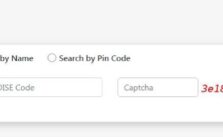
How to Find UDISE Code For Schools?

Finding the UDISE code for schools is an easy step. In order to find the UDISE code for schools, one needs to follow the given steps:

  • Visit the official website of UDISE
  • Click on the ‘Locate Menu’ option from the Menu
  • Fill in the necessary details in the form such as State, District, Block, Village, Academic Year
  • Click on the ‘Search’ button
  • The school UDISE code will appear along with the other details such as RTE Report Card

How to Generate UDISE Code For Schools?

Registration of the UDISE code for schools is an important step on the UDISE portal. The first step to register is to enroll the school on the SDMS portal. The Block Education Officers(BEO) then start the verification process through various officials.

If approved, a provisional UDISE code is generated and sent to the District Education Officers (DDO) for final approval. This entire process takes 15 days to complete. There may be circumstances that a school is not approved, in such a scenario, the school needs to follow the steps:

Step 1:

  • Visit the official portal of the school directory management system
  • Register on the portal and complete the process using the UDISE code
  • Once approved by the block/district authorities, the UDISE code will be generated

Step 2:

  • Visit the Block Education Office (Rashtriya Madhyamik Shiksha Abhiyan and Sarva Shiksha Abhiyan) or the CRC in the area
  • Fill in the details about the school on the UDISE Data Capture Format (DCF)
  • Submit the form to the block officials in charge of UDISE
  • The concerned Block MIS will check the details of the school
  • The UDISE code will be generated after the approval of the Block MIS

How to Check UDISE Code Registration Status?

One can easily search and check the UDISE code registration status by following the steps given below:

  • Visit the official website of UDISE
  • Click on the Registration link on the home page
  • A new page will open where the option for ‘Search Registration Number’
  • Enter your registration number, registered mobile number
  • Enter the captcha code in the available space
  • Click on ‘Search’
  • The status of the UDISE code registration will appear on the screen

State Wise UDISE MIS Official Details

In this section we shared state wise UDISE official details as mentioned below:

State Official Email ID
Andaman & Nicobar spossaan@gmail.com
Andhra Pradesh apssahyd@gmail.com
Arunachal Pradesh arundise@gmail.com
Assam sbaksh1107@gmail.com
Bihar dipaktiwary@gmail.com
Chandigarh diney29@gmail.com
Chhattisgarh mis.head@gmail.com
Dadra Nagar Haveli pryedu.dnh@gmail.com
Daman adedp08@yahoo.in
Delhi spd_delhi@rediffmail.com
Goa ssagoa11@gmail.com
Gujarat savantasif@gmail.com
Haryana itcell.hpspp@gmail.com
Himachal Pradesh spodpephp2@rediffmail.com
Jammu & Kashmir jkssaujala@gmail.com
Jharkhand jepcranchi@rediffmail.com
Karnataka purushothamakumar37@gmail.com
Kerala ssakerala@gmail.com
Madhya Pradesh deepakv23@gmail.com
Maharashtra mpspmah@gmail.com
Manipur ssamanipur@rediffmail.com
Meghalaya ssa_semam@yahoo.com
Mizoram mizoramssa@gmail.com
Nagaland ssanaga@rediffmail.com
Odisha pravat_mshr@yahoo.co.in
Pondicherry ssapandy@gmail.com
Punjab rajvir1980@gmail.com
Rajasthan rajssa_jkg@yahoo.com
Sikkim sunilgiri@gmail.com
Tamil Nadu atmuthu70@gmail.com
Telangana plgmists@gmail.com
Tripura nirupama.talapatra@gmail.com
Uttar Pradesh ied.ssaup@gmail.com
Uttaranchal mukesh.dhyani@gmail.com
West Bengal arup_biswas_11@yahoo.com

Contact Details of UDISE Code

If you have any query related to UDISE code status you can directly contact given number.

  • UDISE Code Contact Number: 1800 11 6200

Frequently Asked Questions

  • How do I get UDISE code?

Ans: If you want UDISE code then visit http://www.schoolreportcards.in website.

  • What is UDISE portal?

Ans: UDISE means Unified District Information System for Education portal.

Final Words

In the above article we shared all the information regarding check UDISE code status, UDISE form, How to generate & find UDISE number online.

Categories
Education

Aeries Student Portal Login LUSD, CVUSD & BCSD

Aeries Student

The aeries student portal is a website designed to help students with their academic needs. It includes resources like calculators, course schedules, and study guides. The portal is also customizable, which means that each student can make it their own.

Aeries, a private online university, recently released a new student portal that allows students to access their course materials, grades, transcripts, and more. The new portal is accessible through the school’s website and is designed to help students stay organized and connected with Aeries. Know about Mistar student portal waterford, ISA portal and MDCPS portal login procedure online.

Aeries student portal

Step By Step Aeries Student Portal Login Procedure

If you are a student at Aeries Online Public Schools, then you will need to login to the student portal in order to access your academic information. In this article, we will provide a step-by-step guide on how to login to the Aeries portal.

  • First, you will need to go to the Aeries website and click on “Student Login.”
  • Then, enter your username and password in the corresponding fields and
  • Next click on “Login.

Aeries Student Portals BCSD

Aeries portals provide a means for parents, guardians, and staff to view student information such as grades, attendance, discipline, and other resources. The Bakersfield City School District has piloted the use of Aeries portals in six schools.

As of November 2011, the district reports that 3,717 parents or guardians have registered for Aeries portals. Of those, 2,811 use the portal at least once a month.

Aeries Student Portal SRCS

Santa Rosa City Schools (SRCS) is a school district comprising of 11 elementary schools, 4 middle schools, and 2 high schools. Serving over 17,000 students, SRCS is the 3rd largest employer in Santa Rosa. Recently, the district has migrated to Aeries Portal, an online student information system.

This new system provides parents and students with access to grades, schedules, attendance, transcripts, and more. In addition to the website, Aeries Portal offers a mobile app for both Android and Apple devices.

Latest: San Juan student portal sign in procedure

TUSD Aeries Portals

In the Travis Unified School District, students have access to a unique learning tool called Aeries portals. This tool allows students and their families to access information about their grades, attendance, schedules, and more from any internet-enabled device.

Parents can also use the portals to sign up for volunteer opportunities and receive alerts about school news and events. The Aeries portals provide a convenient way for families to stay connected with their children’s education.

Aeries Student Portal LUSD

The Aeries Student Portal is a website created to help students stay organized and connected to their school. It contains a user-friendly interface that allows students to access their grades, schedule, and other important information. The portal also offers customizable tools that allow students to manage their time and academic progress.

Frequently Asked Questions

  • How do students log into aeries?

Ans: Aeries is an online student information system that allows parents and students to view assignments, grades, attendance, and other important school information. In order to log into Aeries, you will need your username and password. If you don’t have your login information, please contact your child’s school for assistance.

  • How do I get my aeries portal verification code?

Ans: If you are having trouble logging in to your aeries portal, you may need to enter a verification code. This code is automatically generated and sent to your primary email address on file.

  • How do I make a parent portal aeries account?

Ans: If you are a parent of a student who attends a public school, then you should create an aeries account. An aeries account will allow you to view your child’s grades, attendance, and other important information. In this article, we will show you how to make an aeries account.

Final Words

In conclusion, the aeries student portal is a great resource for students. It provides access to important information and tools, and it makes it easy to stay connected with classmates and teachers.

Categories
General

San Juan Student Portal Login & Sign in Apps & Classroom

San Juan Unified Student Portal

San Juan students are able to connect with one another and access resources through the school’s student portal. The San Juan student portal provides a forum for students to communicate and share information, as well as a calendar of events. It also includes links to student websites, social media pages, and more.

San Juan Island High School (SJIHS) is a comprehensive public high school located on the San Juan Islands near Friday Harbor, Washington. The school has a student population of about 390 students in grades 9-12.

San Juan Student Portal

SJIHS is one of three high schools on the San Juan Islands and offers a full range of courses, from traditional academic programs to Advanced Placement classes and dual enrollment opportunities with colleges on the mainland. The school also has an excellent arts program and offers many clubs and activities for its students.

Step By Step San Juan Student Portal Login Procedure

In today’s technological world, it is important for students to be able to access their school’s resources and information from home. This is especially true for San Juan Unified School District students, who can now login to the district’s student portal from any computer with internet access. The following steps will show you how to login to the San Juan student portal:

  1. Go to the San Juan Unified School District website at www.sanjuan.edu
  2. Click on the “Student Portal” link at the top of the page
  3. Enter your username and password in the appropriate fields and click “Login”
  4. Select the “Student Information” tab
  5. Under “School Code”, enter “3240” and click “Submit”

San Juan Student Portal Google Classroom

Since the creation of Google Classroom, educators have been looking for ways to use the online learning platform in their instruction. While it is possible to create assignments and announcements, post links and resources, and monitor student progress, some teachers feel that Google Classroom is not yet a complete replacement for traditional learning management systems (LMS) like Blackboard or Canvas.

In this article, we will explore how San Juan Unified School District (SJUSD) is using Google Classroom as a supplemental tool in their 1:1 blended learning initiative and what benefits have been seen so far. Know about Myrutgers employee self service portal.

Frequently Asked Questions

  • How to get around san juan puerto rico?

Ans: There are a few different ways to get around San Juan, Puerto Rico. Taxis are a popular option, as are buses. However, there is also an extensive system of public transportation that includes buses, trains, and ferries.

  • How to get to san juan islands washington?

Ans: The San Juan Islands are a popular tourist destination due to their natural beauty and easy access from the mainland. Washington State Ferries operates several routes to the San Juans, making it easy for visitors to explore the islands. There are also private ferry operators and airplane services that offer transportation to the islands.

  • Is the port of san juan open?

Ans: The San Juan Student Portal is a website that helps students connect with each other and with various resources on campus. The portal has a variety of features, including an online student directory, calendar of events, and links to campus departments and services.

Final Words

In conclusion, the San Juan Student Portal is an excellent resource for students. It provides access to important information and tools, and it is easy to use. We encourage all students to take advantage of the resources available on the portal.