Notice: Function _load_textdomain_just_in_time was called incorrectly. Translation loading for the wp-captcha domain was triggered too early. This is usually an indicator for some code in the plugin or theme running too early. Translations should be loaded at the init action or later. Please see Debugging in WordPress for more information. (This message was added in version 6.7.0.) in /www/wwwroot/upnews360.in/wp-includes/functions.php on line 6260 General Archives - Page 16 of 16 - Uttar Pradesh News PortalSkip to the content
What is vanbandhu kalyan yojana or scheme? In this article we shared all the details regarding that. केंद्रीय जनजातीय मामलों के मंत्रालय ने 28 अक्टूबर 2014 को आदिवासी लोगों के कल्याण के लिए और विशेष रूप से जनजातीय लोगों के मानव विकास सूचकांकों को उठाने के लिए वनबंधु कल्याण योजना (वीकेवाई) शुरू की। यह योजना राज्यों/केंद्र सरकार के आदिम कल्याण मंत्रियों की बैठक के दौरान शुरू की गई थी।
भारत की जनजातीय आबादी के समग्र विकास और कल्याण के लिए भारत सरकार द्वारा वनबंधु कल्याण योजना शुरू की गई है। जनजातीय मामलों के मंत्रालय द्वारा उल्लिखित इस योजना को प्रायोगिक आधार पर शुरू किया गया है और इस योजना के लिए चुने जा रहे 10 राज्यों में से प्रत्येक में केवल 1 ब्लॉक में लागू किया जाएगा । जिन राज्यों को चुना गया है उनमें आंध्र प्रदेश, मध्य प्रदेश, हिमाचल प्रदेश, तेलंगाना, उड़ीसा, झारखंड, छत्तीसगढ़, राजस्थान, महाराष्ट्र और गुजरात शामिल हैं। राज्यों में क्षेत्रों का चयन संबंधित राज्य सरकारों की सिफारिशों के आधार पर किया गया है।
भारत सरकार, जनजातीय कार्य मंत्रालय ने आदिवासियों के कल्याण के लिए वनबंधु कल्याण योजना (वीकेवाई) शुरू की है। वीकेवाई का उद्देश्य जनजातीय लोगों के आवश्यकता आधारित और परिणामोन्मुखी समग्र विकास के लिए सक्षम वातावरण बनाना है। इस प्रक्रिया में यह सुनिश्चित करने की परिकल्पना की गई है कि केंद्र और राज्य सरकारों के विभिन्न कार्यक्रमों/योजनाओं के तहत वस्तुओं और सेवाओं के सभी लक्षित लाभ वास्तव में उचित संस्थागत तंत्र के माध्यम से संसाधनों के अभिसरण द्वारा लक्षित समूहों तक पहुंचें ।
Vanbandhu Kalyan Yojana
वनबंधु कल्याण योजना ऑनलाइन
इस योजना में देश की जनजातीय आबादी को अन्य सामाजिक समूहों के समकक्ष लाने और उन्हें राष्ट्र की समग्र प्रगति में शामिल करने का प्रस्ताव है। इसमें ठोस संस्थागत तंत्र ों को खड़ा करने का प्रयास किया गया है जिससे सभी केंद्रीय और राज्य योजनाओं के सभी लाभों को संसाधनों के अभिसरण द्वारा लक्षित आबादी तक पहुंचने में मदद मिलेगी ।
सरकार का उद्देश्य मानव विकास सूचकांकों में ढांचागत कमियों और पिछड़ों को दूर करके आदिवासियों के समग्र विकास के लिए है । शुरुआती चरण में कम से कम 33% आदिवासी आबादी वाले ब्लॉकों को लक्षित किया जाएगा। साथ ही अर्थव्यवस्था में वस्तुओं और सेवाओं की डिलीवरी करने वाले पहले से मौजूद संस्थानों को और मजबूत करने की जरूरत है । राज्य सरकारों द्वारा आवंटित धन का समुचित उपयोग कार्यान्वयन की मजबूत प्रणालियों के निर्माण के लिए किया जाना चाहिए ।
साथ ही आदिवासी लोगों को सतत विकास और सभ्य जीवन यापन करने के लिए कौशल विकास को बढ़ावा देने और रोजगार पैदा करने के लिए पहल की जाएगी । For more info about vanbandhu kalyan yojana you can write in the below comment section.
What is SRU portal? How to login in SRU online portal and know about courses, placement and fees. Sri Ramchandra Institue of Higher Education and Research is considered as one of the best health sciences universities in India.
It is a private non-profit institute that aims at serving the society. Its main focus is on providing medical education, research and health care. There are many education portals like eduvate parent portal, Vimarsh portal MP, skolaro parent portal and more.
SRU Portal
The university offers an excellent environment for the students. It is a technologically advanced institute, with the students quite accustomed to the digital methods of studying. The university has carried out a lot of researches and innovations in collaboration with the international institutes so that it maximizes its impact globally.
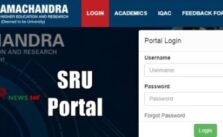
How to Login in SRU Portal
The process of SRU login to Sri Ramachandra University portal is absolutely simple and can be done in just a few steps.
Visit the official website of the SRU university.
Enter the username in the intended space.
Next, you have to enter the password you have set earlier.
Click on ‘login’.
It even has an option to reset the password through ‘forgot password’.
Mission & Vision of Sri Ramachandra University
Sri Ramachandra University aims to provide quality education to its students by preserving the ethics of education. The institute imparts unbiased research in the various arts and sciences. The university has the vision to organize educational programmes that would lead to the development of not only the professionals but also the citizens. This is because it fairly works for the welfare and development of society.
Registration Process in SRU for Children Of Faculty And Staff
The children who want to take admission in the university has to register themselves first. In order to register, they are required to fill the registration form. They have to fill in their parent’s name, mobile number, Email address, Aadhar no., SRU Employee no., a photograph of the child and a photocopy of the Aadhar card with the address.
SRU Admission 2020
The candidate can apply online as well for admission into the university. Just by following a few simple steps that have been mentioned below.
Visit the official website of the university.
Select the ‘admission and programme’ option.
Once you click on it, you will be directed to a new page that contains all the courses.
You can click on any one course which you wish to apply for.
Each course has an option of the online application form.
Click on the link and fill in the admission form of the university.
SRU Courses Offered By Sri Ramachandra University
The university offers multiple courses for the students. Some of the courses offered by the university have been mentioned below.
MBBS
BDS (Bachelor of Dental Surgery)
Sc. (Hons) Biomedical Sciences
ASLP (Bachelor of Audiology and Speech-Language Pathology)
Pharmacy (Bachelor of Pharmacy)
D. (Doctor of Pharmacy)
BPT (Bachelor of Physiotherapy)
Sc. (Hons) Allied Health Sciences
Sc. Nursing
Sc. Clinical Nutrition
BBA (Hospital & Health Systems Management)
Sc. (Hons.) Sports and Exercise Sciences
Optom. (Bachelor of Optometry)
Sc. Trauma Care Management
Sc. (Hons.) Medical Microbiology and Applied Molecular Biology
Bachelor of Occupational Therapy (BOT)
Sc. Bioinformatics
Sc. Health Informatics
Sc. Data Science
Sc.(Hons.) Environmental Health Sciences
Sc. Applied Psychology
Sc. Clinical Research
Sc. Medical Radiology & Imaging Technology
Placements of SRU University
Apart from offering efficient education to the students and organizing researches and educationals programmes for the benefits, the students of the university also receive placements from the best companies like Samsung, Reliance, KSure, Johnson and Johnson and IBM.
SRU Contact Details
Address: Sri Ramachandra Institute of Higher Education and Research (Deemed to be University),
Sri Ramchandra University is affiliated to the CBCS system and has offered several educational programmes for both the teachers as well as the students. In order to get a feedback of the various programmes organized by it, the university has a separate option for the feedback from parents, students and the employees which helps them to develop and create a great impact in the society.
Frequently Asked Questions
How to login in SRU portal online?
What is SRU Portal?
How to know course offered by SRU?
What is the full form of SRU portal?
Final Words
As we shared all the detail regarding SRU portal login, student & parent portal, Sri Ramachandra university login portal, results and all. Also in future we will update more details. Stay with upnews360 portal for latest news & updates!
In this article we shared information about ERP Eduvate portal login, beta parent login portal, how to download eduvate app and more. Eduvate is a consulting organization that applies various strategies to develop the education system. They use different innovative ideas to improve the system of learning and teaching.Similarly checkout Cogent Login Portal , Spark portal, MP Vimarsh portal, SPPU login portal 2020 and more.
Eduvate Portal
Being a multi-strategy firm it tries to propose different strategies and suggest the use of technology in the field of education. It provides various services according to the needs of its clients. The services offered by eduvate may range from providing astounding business strategies for the development of the business to building partner networks or introducing various programs.
The Eduvate portal works for the development of both business organizations as well as universities. It plays several roles at once. Eduvate may act as partnering advisor, consulting expert, mentor for the startup and project manager. It tries to engage the young enthusiastic and dedicated people in various firms so that those firms could develop from the talents of the younger generation. Also many portal available in this upnews 360 website like Skolaro login portal, edumerge login, KVS UBI login portal, etc..
Eduvate has always focused on the outcome of its strategies and has thus implemented the various strategies and tried to approach every field in an innovative manner.
Eduvate Parent Portal App
As mentioned above Eduvate aims to develop the education system through multiple strategies. It is affiliated to several universities and schools. The first step towards any of the development is efficient communication. Thus, for better communication, Eduvate had designed the parent portal app, especially for the parents.
Through this Eduvate app, the parents can keep a track of their child’s academic performance as well as its overall progress in various fields. It is also quite useful for the students. The parents and students can easily log in to the app through the ERP code of the students.
Features of Eduvate App
You can view the entire information about the student on this app related to their school or university.
It also contains the timetable portraying the time period or the duration of each class.
The students can even take their practice tests on the app in order to prepare for their examinations.
The app also contains the classwork and the homework assigned to the students regularly.
It notifies about the weekly tests going to be held or the results of the weekly test to the parents as well as the students.
In case the students have any issue or problems, they can easily complain in the Eduvate parent portal app.
Any important notice from the school as well as the monthly attendance of the students can also be viewed on the app.
How to Download Eduvate Parent Portal App In Pc?
Well, Eduvate Parent Portal is an app designed for Android, however, it can also be accessed on your computer with the help of the emulator which allows the Android applications to work on the computer. The steps to download eduvate app on your PC has been mentioned below.
Download the Bulestacks emulator on your PC.
Once you have downloaded the Bluestacks emulator and opened the software, you will find the Google Play store pre-installed in it.
Open the playstore on the Bluestacks.
Search for the Eduvate Parent Portal app on the Google Playstore.
Download the app from the play store to your PC.
The app will be installed successfully once you click on the install option on the screen. It will be listed under the list of installed apps.
How to Register To Eduvate?
It is not at all difficult to register to the Eduvate portal. Anyone can easily log in to the portal in just a few simple steps. These steps have been mentioned below.
Visit the official website of Eduvate portal.
Enter any of the unique usernames in the intended space.
Once you have entered the username, set the password.
After entering the password, you are required to confirm the password.
Also, enter an email address.
In the end, you need to enter the name.
Once you have filled in all the details click on ‘Sign up’.
Contact Details Of Eduvate
In case of any query, you can contact the Eduvate portal on the details mentioned below.
Email-ID- admin@eduvate.biz
Address- 36 Dalmeny Street, Edinburgh, EH6 8RG
How to Login in Eduvate Portal
Just like the process of registration, even login to the Eduvate portal is simple and does not require any extra skills. Follow some of the simple steps that have been mentioned below.
Visit the official website of Eduvate.
Select the login option on the homepage.
Enter the registered username in the given space.
Next, you need to enter the set password.
Once you have entered the login credentials, click on the ‘login’ option.
In case you forget your password, you can even reset it by clicking on the ‘forgot password’ option.
What Is Beta Educational Services
The Beta Education aims to provide efficient education to the students. Its emphasis is on the success of its students. They try to clear the concept of study material. Instead of directing their focus towards marketing of the education system, the Beta Educational Services implements various educational programs that are suitable for every type of student is of school-age or adult.
How to Register To Eduvate As A Guest Student
You need to follow a specific procedure to register to Eduvate as the guest student. The simple steps to log in to the Eduvate portal in a few simple steps.
Visit the official website of Eduvate.
Enter a unique username, that would be later used for login.
Next, enter your name, email address and mobile number.
Then you need to select the gender.
Fill in the password in the given space and then confirm the filled-in password.
You also need to select your grade for example- Nursery, Grade 9 or 10.
Once you have entered all the relevant details and filled up all the fields click on ‘Next’.
The next and the final step is of verification.
Once your account has been verified, you will be registered as the Guest Student on Eduvate.
Beta Login Process For Eduvate
The beta login process for Eduvate is similar to the ordinary login process. You just need to follow a few simple steps to complete the beta login process.
Visit the beta login website.
Enter your registered email address in the intended textbox.
Next, you are required to enter the password.
Once you have entered the relevant details click on the ‘login’ option.
Finally the process of beta login.
How to Login in Parent Portal Eduvate?
The login process of the eduvate parent portal can be done in just a few steps that have been mentioned below.
Open the parent portal app or visit the website.
Enter the ERP code which is assigned to each n every student.
Next, you need to enter the password in the given space.
At once the login process to the parent portal will be complete.
How to Download The Eduvate Parent Portal For Windows PC?
You can easily download the Eduvate Parent Portal in a few simple steps that has been mentioned below.
Download the Android emulator MemuPlay on your PC.
Once you have installed the MemuPlay, open the Google Play Store.
Search for the Eduvate Parent Portal in the play store and install it.
Once you click on the app it will be downloaded in your computer instantly.
What Is School ERP
School ERP refers to the School Enterprise Resource Planning System. It is software designed to manage the distinct activities of the school. The ERP is used by various schools for the management of the activities such as fees payment, school administration, attendance of the student, online learning management and other co-curricular activities.
Process of ERP Login
The process of ERP log in is not at all complex, it can be done easily in a few simple steps that has been mentioned below.
Visit the official website.
Enter the username in the given textbox.
Next, you need to fill in the password in the intended space,
Click on the ‘Login’ option.
Frequently Asked Questions
What is ERP Code?
ERP Code is an identification code given to each student for the process of login.
What are the new features added to the Eduvate Parent Portal?
A Lot of new features have been added to Eduvate Parent Portal includes certificates, discussions and forum, viewing the SMS and feeds, queries and feedbacks, Circulars and notifications.
Do I have to pay any fee for downloading the Eduvate parent portal app?
No, you do not have to pay any fee for the Eduvate Parent portal app, it is absolutely free to use.
Final Words
At last we hope you know all the detail info about Eduvate portal, ERP eduvate login, OMS eduvate parent portal, How to register in eduvate beta portal and so on. Stay with this website or bookmark for future updates!!
What is Cogent login portal online? In a world where everything is getting digital, ranging from educational services to make payments online, there has been a boost in globalisation. Know more about skolaro login portal, edumerge portal, समर्थ पोर्टल 2020 and more online.
Cogent is a great platform for academic administrative services. It supports higher and technical education institutions to provide digital services to the students and academicians. The cogent system offers seamless communication with a user-friendly interface, thereby enabling efficient management.
Cogent Login Portal
One of the key elements of Cogent login portal is the Single-Sign-On (SSO) feature. With the increasing dependence of the educational institutes on the internet, slowly it is becoming challenging for the institutes to keep pace with the multiple user logins. Single-Sign-On is a great platform which enables the teachers, students and administrators to immediately login into their portals with just the click of a button.
Benefits of Cogent Single-Sign-On:
It provides a simple online experience with minimum authentication
One can easily access more than 4000 applications using the Single-Sign-On with just a single set of credentials
The security and privacy of the users are not compromised even a bit while using this
A user can easily be transferred to any group at any point
As it is flexible to use, one can easily locate the required resources
Various services are offered under a single roof
The Udayam Cogent is an initiative of the Education Department of the State of Gujarat. It uses the Single-Sign-On for all its services which leads to effective implementation of state and central government policies.
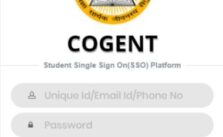
How to do Cogent login?
Visit the Udayam Cogent website
Click on the ‘Login’ option
Enter your username and password
Click ‘login’
How to Login on Cogent Online Fees Portal?
Visit the Gujrat Cogent website
Select ‘Mobile Number’ or ‘Student Unique ID’ as your login option
Select the required Fees Type
Click on ‘Get OTP’
Enter the OTP you receive
Click on ‘login’.
What if We Forgot Cogent Password?
As we know it is more hectic when we forgot any password. But in this case if you forgot cogent password don’t worry you get back. For that just follow mention step by step guide:
First of all visit Cogent login portal https://student.gujgov.edu.in/login.jsp
Next click on “Forgot Password”
Then enter Email ID/Phone No
Finally click on “Submit” button
So after that you can set new password online
Cogent Registration For Students
If you are new user or want to sign up in Cogent login portal then don’t worry just step by step guide for Cogent registration online:
First of all visit Cogent portal https://student.gujgov.edu.in/registration.jsp
Next enter required info like Your Email Address, Mobile No, Password,
Then click on “Register” button
Why is Cogent Single-Sign-On important?
Single-Sign-On is a great authentication service that allows an individual to access his account on all the applications simply by using a single set of credentials. So one only has to remember a single set of credentials login anywhere. The SSO provides a single centralized interface from where multiple applications and resources can be accessed. All these services are provided on a single platform without compromising the user’s privacy even a bit.
Before sign up or login in Cogent portal you have required some required documents as mention below:
HSC Marksheet
In Case student admission after 10th then SSC Marksheet
School Leaving Certificate
Passport Size Photographs
Non Creamy Certificate and Caste certificate
Contact Cogent Helpline Number
So in this section we shared Cogent helpline number and email address as mention below:
Cogent Helpline Number: 079 26301482
Email Address: fees@gujgov.edu.in
Frequently Asked Questions
What is Cogent portal?
How to login in Cogent online portal?
Is there any cogent helpline contact number available?
How to do Cogent registration online?
Do we know about Cogent sso student login portal?
Conclusion
We hope you know each and every information about Cogent login portal, SSO Student login info, online fee portal and more. Still you have any query contact Cogent helpdesk portal online.
Today Telangana launched its new electric vehicle policy 2020. In this section we shared each and every info about electric vehicle policy Telanagna and more important info. As we know Telangana is 3rd state to launched electric policy for vehicle. Before that Gujarat and Delhi announced it own policy for electric vehicle policy.
The state government will facilitate the setting up of initial batches of fast charging stations in a phased manner by state institutions and private companies in Hyderabad and other towns. Know about LRS Telangana 2020 application status , charges and calculator online.
Telangana Electric Vehicle Policy
Key Points of Telangana Electric Vehicle Policy 2020
In telangana 100% exemption of road tax registration fee for 200000 electric 2 vehicle purchased
In telangana first 10000 electric 3 wheelers good carriers purchased
For electric vehicle this policy make state preferred and very attractive investment
Generate demand for battery storage solutions by driving EV adoption incentives and supply side incentives for battery manufacturing
The policy called for the development of Telangana as a global center for cutting-edge research and innovation in other emerging technologies such as electric vehicles, battery technologies and autonomous / allied vehicles.
Telangana EV Policy
Telangana State Environment Minister Ketiar unveiled the new electric vehicle (EV) milk designed by the Telangana government on Friday. The milk policy was announced at the Telangana EV Committee at the Human Resource Center in Hyderabad. This policy was created to encourage electric vehicles to reduce pollution.
The Telangana government has already issued orders to disclose the policies of electric vehicles for the period 2020-2030. The state government has said that many concessions will be given to those who buy and register in the state.
Telangana Government EV Policy
The first 2 lakh electric two-wheelers, 20,000 autos, first 5,000 4 wheel vehicles, first 10,000 light goods vehicles, first 5,000 electric cars and 500 electric buses will get exemption in road tax and registration fees. Road tax and registration fees for electric tractors will be completely removed. The order states that the public transport system will also take necessary steps for charging purposes to encourage the use of electric vehicles.
Transport Minister Puwara Ajay Kumar, NITI Aayog CEO Amitkant, Mahindra & Mahindra MD Pawan Kumar Mar Goenka, IT Department Chief Secretary Jayesh Ranjan. Others participated. This policy is formulated for the manufacture and use of electric vehicles for 2020-2030 in Telangana. A new arrangement was announced with the aim of converting the state into electric vehicles.
Final Words
As we shared all the details about Telangana electric vehicle policy 2020 in the above article. Still if anything is from our end you can give your suggestion via comment section. Appreciate your feedback and visit upnews360 portal for latest updates.
What is CDR full form? CDR also is known as Call Detail Record. It refers to the record of the distinct telephonic calls in details. The details of the calls included in CDR are the duration of the call, source of the number, destination of the number, the completion status of the call.
The details are managed and maintained by the telephone exchange. The CDR is also used for the voice over IP. The VOIP is a file containing details such as the point of origin or the source, the identities of destinations, the bill of each call and the time taken in each call.
The CDR of an account can be downloaded at the request of the user of the account. It is the main source of revenue for telephone service providers. PM Modi launched Kisan survoday yojana for kisan last week.
CDR Full Form
Who can have an access to the CDR
CDR cannot be accessed easily by anyone. In critical cases, the law enforcing agencies at the state and central level can have an access to CDR. The various firms which can access it include CBI, the different intelligence agencies, Income Tax departments and other agencies counter-terrorism. However, they need to take certain permissions before getting access to the Call Details Record.
Some of the instances where CDR has been accessed. In 2014, the High Court had allowed the investigating agency to refer to the CDR in order to investigate the case.
20+ Meaning of CDR & Full Form
In this section we shared all the possible meaning of CDR or CDR full form as below:
Short Form
Meaning
Industry/Sector
CDR
Call Detail Record
Telecom
CDR
Debt Restricting
Business
CDR
Lieutenant Commander
Navy
CDR
Clinical Data Repository
Pharmacy
CDR
Climate Data Record
Atmosphere Science
CDR
Constant Default Rate
Banking
CDR
Commander
Army
CDR
Cargo Delivery Receipt
Shipping
CDR
Critical Design Review
Manufacturing
CDR
Contents of Decrement Register
Programming/Developing
What is the process of access for CDR?
In severe incidents such as murder, rape, or terror threats, the investigating agencies can immediately request the Call Details Record. For such severe cases, mobile network service providers grant permission in just half an hour. Under normal circumstances, one can get access to the CDR in almost a year. In case you need the details urgently special permission has to be taken from the senior police officer.
CDR Full Form in Hindi
सीडीआर फुल फॉर्म कॉल डिटेल रिकॉर्ड एक कंप्यूटर रिकॉर्ड है जो टेलीफोन एक्सचेंज या अन्य दूरसंचार उपकरणों द्वारा बनाया गया है जिसमें उस सुविधा या डिवाइस से गुजरने वाले सभी टेलीफोनिक कॉल और अन्य संचार लेनदेन का विस्तृत रिकॉर्ड होता है ।
आज इस लेख में हमने सीडीआर के बारे में विस्तार से जानकारी साझा की है। सीडीआर का सभी संभव अर्थ या पूर्ण रूप नीचे उपलब्ध है।
The uses of CDR
The uses of CDR are many, it can be used for tiniest to the severe instances.
It can be used to track the location of a person.
The CDR can be used to check the amount spent on each call.
It contains the mobile numbers of the SMS which have been sent and received.
CDR is one of the most useful files, as it provides immense details about your number and the calls. From a single call, a lot of details are recorded that can be helpful in the long run. They are quite useful in generating telephone bills or extracting the numbers.
CDR Meaning in Telecom, Medical & All Industry
There is lots of meaning of CDR like in Army Military, Navy, telecom, finance, banking in Hindi as well.
CDR meaning in army is Commander
Meaning of CDR in Navy is Lieutenant Commander
CDR meaning in Banking is Constant Default Rate
In Telecom sector CDR meaning is Call Detail Record
CDR meaning in Business is Corporate Debt Restricting
In Shipping sector CDR meaning is Cargo Delivery Receipt
CDR meaning in pharmacy is Clinical Data Repository
In manufacturing sector CDR meaning is Critical Design Review
CDR meaning in technology is Carbon Dioxide Removal
In programming & development sector CDR meaning is Contents of Decrement Register
CDR meaning is atmosphere science is Climate Data Record
Frequently Asked Questions about CDR Full Form
What is the full form of CDR?
The full form of CDR is Call Detail Record.
What details does the CDR include?
CDR includes details such as the duration of the call, source of the number, destination of the number, the completion status of the call.
Can anyone access the CDR?
No, not everyone can access the CDR. It can only be available to the law enforcing agencies at the state and central level.
Is it useful to have a CDR?
Yes, having a call detail record is very useful as it helps in identifying the location of a person and helps in analyzing certain communication and behavior patterns.
Final Words
So in the above article we shared all the details about CDR full form, uses, CDR meaning in Hindi as well. Still anything is missing you can send us suggestion via comment section. We will surely add it in the article.
What is Spark login? SPARK stands for Service and Payroll administrative repository for Kerala. It is integrated personnel, payroll and accounts information system which keeps a record of all the government employees of Kerala. Also you can know more about IFHRMS pay slip download for all employees online.
The Spark Kerala has formed this repository to handle the HR-related work as well as data related to the salary of government employees digitally. This initiative has helped to regulate the payroll and finance-related activities of more than five lakh employees under the one application.
Spark login
Important Features of Spark
So in this section we shared Spark portal features which are very important as below:
It is a government to employee web-based personnel administration and accounts software for government establishments
Every detail regarding the service book of each employee is digitised
It has provision to generate identity cards
So it has a centralized database which facilitates quick decision making and helps in applying all the rules uniformly
It maintains the advances, recoveries, loans etc. of the employees
Also it helps in income tax formulation and statutory forms
It is an interface for the employees which allows them to view all the necessary information
You can submit complaints/Grievance online as well
Application for General transfer available online
Online leave management system & outside duty information system
Spark Login & Registration Online
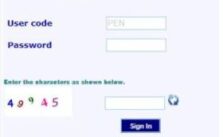
All the employees can register on the official website using the link http://www.spark.gov.in/webspark which will generate them individual login credentials to operate on the SPARK’S website.
After receiving the credentials, the employee can log in to access their e-service book service and pay and also the allowance details. An employee is required to fill the details like name, date of birth, Aadhar number, mobile number etc. to complete the registration process.
In case of any fault, the employee should contact DDO/correct the details.
How to Reset Password in Spark Login Portal
If you forgot password in Spark login portal then don’t worry you can reset password. But for that you have required information as mention below:
First of visit official website
Next in Right sidebar you can show “Forgot password” button
Click on that button
After that enter required details like PEN, Date of Birth, Email Address
Finally click on “Submit” button
Benefits of Spark
A unique permanent employee number is generated for all
The reports are generated in the PDF form which becomes easy to access
It ensures easy data and speedy bill preparation
The app provides transparency in administrative work
This helps the employees to clear the confusion regarding their claims by giving them automatic alerts
All the work is done online which saves time and reduces the interaction between the head office and the remote office
How to Submit Complain/Grievance Online in Spark Portal
So many people having different different types of query or complain. So now you can submit online complain in Spark login portal. Step by step guide mention below:
First of visit official website https://www.spark.gov.in/webspark/(S(qenednwam3jq5qbocijhowvl))/sparklogin.aspx
Next click on “Submit Complaints/Grievance ”
Then enter required details like PEN, DOB and mobile number
Finally click on “Submit” button
Future Plans of Spark Portal
To create a pension database maintenance
Ensure electronic submission of bills to treasuries
To resolve the queries online which are related to expenses
Facilitate online leave application
To ensure automated bug reporting and tracking system
Spark Helpdesk Contact Details
So as we know many people having some kind of query so you can contact via Spark helpdesk contact details as mention below:
Spark Thiruvanthapuram PMU: 0471 2579700
Kollam: 9496383743/0471 2793553
Kannur Regional Spark Help Centre: 0497 2707722
Kattakkada: 9496383742/ 0471 2290262
Pathanamthitta: 9496383745/ 0468 2222402
Thrissur: 9496383753/ 0487 2360348
Kozhikode: 9496383756/ 0495 2370720
Mattannur: 9496383762/ 0490 2471007
In the current scenario, SPARK has been proven very useful to keep a track on all the government employees under a single roof. Spark is easy to access just by a fingertip. Kerala government is researching and making a huge investment to promote the information system and contribute towards digital India.
Final Words
So in the above article we try to shared each and everything information regarding Spark login kerala, benefits, how to login in Spark portal, registration, features, Spark individual login with contact helpddesk details and so on.
Pravasi rojgar app download: Film actor Sonu Sood has launched a Pravasi Rojgar app to help migrant workers find employment opportunities in various sectors across the country. This mobile app will easily provide the required job search information. Sonu Sood has been instrumental in repatriating migrant laborers trapped during the operation in Mumbai.
Actor Sonu Sood on Wednesday launched Pravasi Rojgar app to support workers looking for suitable employment opportunities in various sectors across the country.
Pravasi Rojgar App
The app will be launched on July 23 with job opportunities from more than 500 reputed companies related to construction, clothing, healthcare, engineering, BPO, security, automobile, e-commerce and logistics available on the platform. Support centers with 24-hour helplines have been set up in seven cities, including Delhi, Mumbai, Bangalore, Hyderabad, Coimbatore, Ahmedabad and Thiruvananthapuram.
Sonu Sood has launched a new migrant employment app, from which workers can find work for themselves. The new Migrant Employment or Migrant Employment app can now be downloaded to employ migrant workers.
How to Download Pravasi Rojgar App Online
Today we will give you a way to register or download the Pravasi rojgar App and link to the website for download.
Guys it will very easy to download pravasi rojgar app. For this you have Android Device or Mobile and active internet connection. Till now this pravasi app launched in English only but heard it will be available in 5 more language.
First of all on your internet connection in your Mobile
Then go to “Google Play Store”
After that you can search “Pravasi Rojgar App”
Then download Pravasi rojgar app from there
NOW install that app in your device
Finally Pravasi rojgar app download in your device so you can register there
Sonu Sood arranged special buses to transport migrant laborers from the cities of Maharashtra to their hometowns in Uttar Pradesh, Bihar and other states. The film actor’s move earned Sonu Sood much praise across the country. Now Sonu Sood is preparing to help provide employment to migrant workers.
The 47-year-old actor said his conversations often revolved around how he was looking for a suitable job opportunity amidst the epidemic when arranging travel for tourists.
“Plenty of ideas, planning and preparation over the last few months have designed this initiative to ensure that the work going on in the country is complete and built.
While brainstorming for the app, Sonu Sood recalled conversations with migrant workers, in which he told them how they were waiting for the right job opportunity. Sood decided to connect these tourists with the right people and help them find jobs in their hometowns as well as in metropolitan cities like Delhi and Mumbai.
Pravasi Rojgar App Registration Online
Many people want to register in Pravasi rojgar app. Sonu Sood has launched a website portal under the Pravasi rojgar Scheme. Soon its mobile app will also be able to download to your phone. But this app has not yet been seen on the Play Store. That is why we request you to register through the Pravasi rojgar Portal. Follow the instructions for registration through the website portal: So we shared here step by step guideline for pravasi rojgar app registration online as below:
First of all you can visit official website or visit http://pravasirojgar.com
Then at Right side corner you can select your Language English or Hindi
After that You can see “Find the right Job” so click on “Start here”
Then select you are Employers or Candidates
After that fill your details for registration
Features of Pravasi Rojgar App
Develop new rojgar
Strong financial situation
Doing Aatam Nirbhar to people
Talking about the pravasi rojgar app, the actor-turned-engineer said, “A lot of thinking, planning and preparation has designed this initiative in the last few months. We wanted to make sure it is complete and builds on the work going on in the country.” Extensive discussions have been considered with higher institutions, involved in developing skills at the grassroots level and putting young people below the poverty line. ”
The travel employment app follows Sonu Sood’s initiative to help thousands of migrant workers reach their homeland during a coronavirus-inspired nationwide lockout.
Required Documents For Pravasi Rojgar Registration
Valid ID Proofs like Aadhar card, etc..
Bank account
Passport size photographs
Resident certificate
Bollywood actor Sonu Sood has been helping migrant workers across the country since the coronavirus outbreak broke out and after sending them home safely for months, he has now launched an application dedicated to his job search. This application called Migrant Employment will provide all the necessary information and links for migrant workers to find employment.
A report in the Mumbai Mirror quoted Sonu as saying, “A lot of thinking, planning and preparation has been done in the last few months to complete the work already underway in the country. To bring the youth below the poverty line and put the youth below the poverty line, NGOs, philanthropic organizations Extensive discussions have been conducted with government employees, strategy advisors, technology startups and all returnees.
Age Limits
Minimum 18 years
Maximum 35 years+
Pravasi Rojgar Helpline Contact Number
As per our knowledge many people having query or problems in registration process so we shared toll free helpline number for Pravasi rojar online. For any kind of query you can direct contact pravasi rojgar helpline number. From any company Mobile and landline you can dial these Pravasi rojgar helpline Number 1800121664422. Hope your query will be solved as soon as early possible.
Related Search Terms
pravasi rojgar app download
Online pravasi rojgar app
pravasi rojgar app link
apply in pravasi rojgar online
pravasi rojgar website
Helpline number for pravasi rojgar
pravasi rojgar yojana up
Portal for pravasi rojgar
pravasi rojgar portal
official website for pravasi rojgar
pravasi rojgar .com
Frequently Asked Questions
What is Pravasi rojgar app?
How to online registration for pravasi rojgar app online?
Who launched Pravasi rojgar app?
How to apply for pravasi rojgar app online?
Is there necessary to attach resume for pravasi rojgar?
How many companies there in Pravasi rojgar?
Final Words
So in these article we shared all the detail information about pravasi rojgar app download, how to online registration, apply, download & install with helpline number. Still if you have any query you can write in comment section or visit official portal.
In Uttar Pradesh, two girls were killed and 12 others seriously injured when a house collapsed in Greater Noida. The injured are undergoing treatment at a nearby hospital.
A house in Greater Noida in Uttar Pradesh has collapsed. Two girls were killed while 12 others were seriously injured when a two-storey house collapsed in Duggali village of Rabupura police station area last night. The injured have been admitted to hospitals. The girls who have died are Prachi (9 years) and Priya (7 years).
The cause of the house collapse is not clear yet. Top police and administration officials have reached the spot.
Houses Demolished During Rain
The CO jewellery, revenue team and police force are on the spot after receiving information about the collapse of the house. The deceased have been identified as nine-year-old Prachi and seven-year-old Priya. The injured have been shifted to a nearby hospital. The house is said to be very old. The cause of the collapse of the house is said to be rain.
On information, police and administration teams rushed to the spot and rescued nine people by conducting a rescue operation with the help of villagers. All the injured have been admitted to hospital for treatment. Two bodies have been taken into custody and sent to postmortem. Tehsildar informed that the house was weakened due to incessant rains. As a result, the house collapsed suddenly.
Dr Sandeep Tiwari, in-charge of the Trauma Centre at King George Medical University, said that the injured lawyer Mahendra Singh has been removed from the ventilator but still is not out of danger as he has suffered head injury and is in constant coma. Their condition remains fragile.
NEW DELHI: The Supreme Court will decide on Friday the issue of transferring the Unnao gangrape victim and her lawyer to AIIMS in Delhi for better treatment.
A bench of justices Deepak Gupta and Anirudh Bose on Monday passed the court’ hearing on the matter. Giri and other lawyers both asked for the lucknow hospital to bring them to AIIMS, Delhi.
The bench asked, “What are they saying when they bring them to Delhi for treatment?”
The bench said that no family member has taken any decision in this regard, the bench said, seeking a hearing on the matter on Friday.
Meanwhile, the bench was told that he had been sent from Uttar Pradesh jail to Tihar jail in Uttar Pradesh on the orders of the apex court relating to the safety of the uncle of the Unnao rape victim.
Unnao gang rape Victim
The victim of the Unnao gang rape case, who was badly injured in the road accident, opened her eyes on Monday after nine days, though the condition of the two is still not out of danger. According to doctors, the condition of the victim has improved marginally and they are keeping a close watch on her condition while the lawyer is still in a coma.
“The victim is being considered for removal from the ventilator while the lawyer was already removed from the ventilator. However, the condition of both is still not out of danger,” he said.
“The condition of the victim is improving,” Dr Sandeep Tiwari, who is in charge of the Trauma Centre of King George Medical University, said on Monday. Now she is able to see and hear us and understand our things.’