Notice: Function _load_textdomain_just_in_time was called incorrectly. Translation loading for the wp-captcha domain was triggered too early. This is usually an indicator for some code in the plugin or theme running too early. Translations should be loaded at the init action or later. Please see Debugging in WordPress for more information. (This message was added in version 6.7.0.) in /www/wwwroot/upnews360.in/wp-includes/functions.php on line 6260 Uttar Pradesh News Portal - Page 41 of 53 -Skip to the content
What is HSSC OR One Time Registration Portal Haryana? In this article we shared all the details like what is the last date, how to apply for online, Application fees and more. Also you can know about latest whatsapp alternatives Signal app download android from Google play store.
The HSSC will start from 12th January 2024 and Last date is 31st March 2024. Most probably exam will be held in June. For general category candidate Application Fees is 500 Rs while For EWS/BC/SC application Fees is 250 Rs.
One Time Registration Portal Haryana
वन टाइम रजिस्ट्रेशन पोर्टल हरियाणा का विवरण
हरियाणा सरकार की अधिसूचना संख्या 523-3जीएस-70/2068, दिनांक 28.01.1970 के तहत भारत के संविधान के अनुच्छेद 309 के परंतुक के अनुसार हरियाणा कर्मचारी चयन आयोग (पूर्व अधीनस्थ सेवा चयन बोर्ड) का गठन किया गया है। इसके माध्यम से हरियाणा सरकार के गजट नोटिफिकेशन दिनांक 28.02.2005 के तहत हरियाणा कर्मचारी चयन आयोग का वैधानिक दर्जा प्रदान किया गया।
आयोग समूह सी सेवाओं में नियुक्तियों के लिए परीक्षा/साक्षात्कार आयोजित करता है और राज्य सरकार द्वारा आवश्यक होने पर समूह बी और डी सेवाओं में नियुक्ति के लिए परीक्षा/साक्षात्कार आयोजित करने के लिए बुलाया जा सकता है । आयोग पदों पर चयन के लिए चयन के तरीके और निर्धारित मानदंडों को तैयार करता है जैसे कि उचित विभाग समझे जा सकते हैं, आयोग को मांग पत्र भेजें जो हिंदी, अंग्रेजी समाचार पत्र और वेबसाइट में विधिवत विज्ञापित किए जाते हैं ।
One Time Registration Portal Haryana Login
In this section we shared step by step guide for Login in One Time Registration portal online mentioned below:
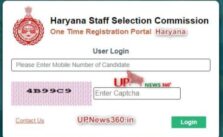
First of all visit one Time Registration Portal website or https://onetimeregn.haryana.gov.in/eforms/login.aspx
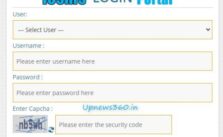
Next enter candidate Mobile Number and captcha
After that enter OTP which you received in your number
Then fill up required details
One Time Registration Portal Haryana Contact Number
If you have any query related to One Time Registration portal, don’t worry you can directly reach contact number mentioned below:
One Time Registration Portal Haryana: 1800 200 0023
Email: helpdesk-hssc@hry.gov.in
F.A.Q about One Time Registration Portal Haryana
What is one time Registration portal Haryana?
Ans: One Time Registration is Web-based integrated workflow system, which helps jobseeker by providing a platform to various jobs via one-time registration process under Haryana Staff Selection Commission.
How to contact if we have any query related to One time Registration Portal?
Ans: If you have any query regarding One time registration portal Haryana you can reach via 1800 200 0023 or send email: helpdesk-hssc@hry.gov.in
What if there is showing invalid Aadhar number?
Ans: For that you have to check whether your Aadhar number is updated in PPP ID or not.
Are there any Age criteria in One time registration Portal Haryana?
Ans: Yes, The Age criteria for One Time Registration Portal Haryana is between 18 to 42 years
One Time Registration Portal Haryana only for Group C & D Jobs?
Ans: Yes, One Time Registration Portal Haryana only for Group C & Group D jobs.
Are there any limits in Photo upload in One Time Registration Portal?
Ans: Yes, The photograph is not more than 500 KB
How much Time valid OTP Portal?
Ans: Mostly, OTP portal valid only for 3 years.
Final Thoughts
In the above article we shared all the detail regarding One Time Registration Portal Haryana. For more latest updates check regularly upnews360 portal daily.
As we know many people wondering how to complaint online. So in this guide we will shared step by step guide about MPEB complaint Indore online, know complaint status and more. Indore electricity segment falls under the division of Madhya Pradesh Paschim Kshetra Vidyut Vitaran Company Limited. Know about ऑनलाइन सुजाव 2024 online.
This is a private-sector organization that is known to provide services and products related to the power sector. There are several types of contact variants in case any user feels the need to do so. There are several customer service centers located at various locales to assist you in solving your problems or MPEB complaint Indore. Know Bhopal MPEB complaint number online.
MPEB Complaint Indore
Indore Electricity Customer Care Contact
Any user is free to access the customer care executives over a simple phone call. The centralized customer care contact number is applicable to all the relevant towns. The phone number is 0731-6700000, 1912. These two numbers are applicable to the registration of Indore electricity complaints. Also checkout Jabalpur MPEB contact number.
MPEB Complaint Indore Enquiry OR Indore Electricity Online Enquiry
For fast checking of your previous complaint status or for registering any new complaint online, all you need to do is to follow a few simple steps. You need to visit the official website at www.mpwz.co.in and log in to the relevant portal.
The importance of this MPEB portal is immense. Not only for the complaint related issues, but this portal can also be used for fulfilling several other requirements pertaining to this sector like bill payments, any request for a new connection, any updation of individual details for prompt service, etc.
MPPKVVCL Customer Care Email Addresses
In case you wish to write about any issues to the concerned authorities, you can directly mail them to the designated email addresses. The relevant email ids are support@mpwz.org, for any sort of customer support and epaymenthelpdesk@gmail.com which is exclusively meant for clarifying payment related queries.
MPEB Contact Number & Postal Address
In this section we shared MPEB customer care number Indore with address as mentioned below:
You need to register yourself first to avail yourself of the online facilities. The MPEB registration procedure is simple. It is just a matter of a few clicks on your smartphone.
First, visit the official website and click on login.
Follow the procedures as it will be displayed on the screen by filling in the relevant details.
Click on the sub, it.
This will complete the registration process.
Check Status of MPEB Complaint Indore Online
If you want to access the current status of your previously lodged complaint, then you need to type the words “mpeb complaint status” on the internet server you are using or you can directly open the link at https://mpezccc.in/mppkvvcl/home/tracking.
Furnish the complaint number which is automatically generated once your complaint is lodged and registered.
This will be followed by entering your registered mobile number.
Then click on submit.
This will open the relevant page displaying the current status.
You can also access the DTR complaint page from this link only.
This is in short a comprehensive guide regarding the complaint status of Madhya Pradesh Electricity Board, Indore. This article will guide you towards your queries related to the subject and will provide you easy access through the quick links and the contact numbers mentioned here.
Frequently Asked Questions
What is the full form of MPEB?
Ans: MPEB full form is Madhya Pradesh Electricity Board.
Is there any helpline or MPEB contact number?
Ans: Yes, if you have query you can contact MPEB Customer care number (731)2421414.
Final Words
We hope you got enough information regarding MPEB complaint Indore and how to check status of MPEB complains online, how to do MPEB complaint and contact phone number. If you found we missing something your suggestions are most welcome via comment section. Still you have query you can visit official website as well.
What is UCO HRMS login portal? UCO bank is one of the most popular state-owned commercial banks in India. In the past it was known as United Commercial Bank. It has been in operation since 1943. The bank offers a host of customer-friendly services to millions of customers. Over time the banking necessities and systems have undergone a sea change.
In order to keep pace with such changes, this bank has also adopted such trends. A result of such adaptation is the maintenance of the UCO HRMS portal for the UCO employees. HRMS stands for Human resources Management System. Also you can checkout more payslip or salary slip like IFMIS payslip 2024 online.
UCO HRMS Login Portal
This is a well-maintained legal platform that addresses and resolves the employee’s needs and grievances. The UCO employees can easily check their desired payslips, updates, loans, leaves, and several other issues from their relevant site. It ensures smoother operation and reduced congestion.
This UCO HRMS login portal displays all the relevant information related to every individual employee. The details include the following:
Name
Parents’ name
Name of the legal guardian in the absence of parents
Name of the spouse (if applicable)
Address
Contact details
Age
Date of birth
Gender
Caste (if applicable)
Religion
Educational details
Occupational details
Disability (if any)
With all this information readily available and verified on the portal, the database of the employees is readily made accessible. It automatically displays all the relevant information on a single platform. In case, if any particular employee is eligible to receive any special benefit from the organization, this portal will send the necessary notifications without fail.
Objectives of UCO HRMS Login Portal
Rationalization of the entire human resources management system of the organization
Simplification of the rules and procedures
Ensuring transparency and digitization
Reduction of human error
Providing all the relevant information of every employee in a single platform
To avoid any delay in any possibilities that may result in any hindrance
Use e-banking facility as per requirement
Regular review of the portal to keep it updated
How to Login into UCO HRMS portal?
Logging in to the UCO HRMS portal is a very easy and simple process. All you need to do is to follow a few steps and login to the portal and get access to the relevant details. The steps to log in to the UCO HRMS login portal are as follows:
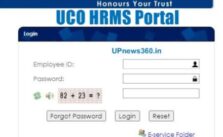
Firstly, visit the official website of the portal at hrms.ucoonline.in
This will display all the leave, performance, and salary-related information
Enter the official employee id and password on the relevant spaces
Enter the security captcha code which will be some numerical equation
This will redirect you to the respective HRMS account in UCO bank
There will be three options- Forgot password, Reset, Log in.
Click login
You can reset your password on this page only, if you wish to change it or in case you have forgotten it.
How to Forgot Password in UCO HRMS Portal
As human sometimes w forgot password. So if we forgot UCO hrms login portal password then don’t worry. Here we shared step by step procedure for recover UCO hrms password online.
First of all visit UCO HRMS official website https://hrms.ucoonline.in/login.action
Next click on “Forgot password”
Enter your employee ID or your registered Mobile number
So You will receive OTP in your registered Mobile number
After enter OTP set new password
And click on “Submit” button
क्या है यूको बैंक एचआरएमएस पोर्टल?
एचआरएमएस का मतलब है कि मानव संसाधन प्रबंधन प्रणाली यूको बैंक कर्मचारियों के लिए जानकारी देखने और प्राप्त करने के लिए एक ऑनलाइन मंच है । यहां वे पेस्लिप तक पहुंच सकते हैं, अपनी शिकायतें बढ़ा सकते हैं, भत्ते छोड़ सकते हैं, और पीएफ खाते के लेनदेन के बारे में । ऑनलाइन सेवा पोर्टल कर्मचारियों को एक सुखद कामकाजी माहौल देने में मदद करता है।
UCO HRMS Customer Care Contact details
In case you are facing any issues with your HRMS portal, you must contact the relevant authorities to solve them. The essential contact details are:
Ans: UCO HRMS portal is mandatory for every employees to check their information like Payslip or salary slip, leaves, salary details & more.
How to Login in UCO HRMS portal?
Ans: For UCO HRMS login you can visit official website https://hrms.ucoonline.in/login.action
What if we forgot UCO HRMS portal password?
Ans: Don’t worry if you fotgot your UCO HRMS password. You can recover or set new password via click on “Forgot password” button and enter relevant information.
Final Thought
Once you become an employee of the UCO Bank, you must make sure that all your relevant details have been duly registered with the organization’s portal like UCO HRMS login portal. This is a mandatory procedure for the employment process.
CMRIT full form is CMR Institute of Technology. In this article we shared Best guide on CMRIT student login & sign up online, Results, placements and fees. Also you can checkout more education related portals like Socrative Student Portal, educate login portal and more!
विश्व स्तर पर और भारत में हुए बड़े बदलावों को देखते हुए सीएमआईटी ने रणनीतिक रूप से संस्थान की दिशा, संरचना, इंटरफेस में परिवर्तन लाया और प्रदर्शन। फीडबैक लिया गया है और अलग-अलग के साथ विचार-विमर्श किया गया है ज्ञान के आधार को विकसित करने के लिए हितधारकों और हम एक आम सहमति पर पहुंच गए हैं ।
CMRIT Student Login
सामरिक महत्व के क्षेत्रों की पहचान की गई और रणनीतिक योजना-हर छह साल में समीक्षा की जानी थी, में तैयार किया गया था वर्ष 2010। रणनीतिक योजना 2010-2016 का सारांश और प्रमुख उपलब्धियों में प्रदान की जाती है ।
Step by Step CMRIT Student Login Procedure
If you are looking for CMRIT student login online, read step by step guide on CMRIT student login mentioned below:
First of all visit official website or click here https://cmritautonomous.org/beeserp/Login.aspx
Next enter username and click on “Submit button”
After that you can enter password or some other require details
Finally click on “Submit” button
CMRIT Results
You can check your CMRIT results online here http://119.235.48.116/Result/
CMRIT Placements
In this section we shared CMRIT placement years wise:
Year of Passing
No of Companies
Selected Student
Eligible Student
2016
50
377
550
2017
73
432
607
2018
106
468
575
2019
77
346
600
Source: CMRIT Official website
CMRIT Hyderabad Contact Number
If you have any query regarding CMRIT Hyderabad you can directly reach out CMRIT contact number below mentioned:
Address: CMR Institute Of Technology Kandlakoya (V). Medchal (M). Hyderabad. Pin : 501-401
About CRM College
CRM Institute of technology इच्छुक इंजीनियरिंग छात्रों के लिए सर्वश्रेष्ठ इंजीनियरिंग कॉलेजों में से एक है। यह एमजीआर एजुकेशनल सोसायटी द्वारा स्थापित तीन कॉलेजों में से एक है। सीएमआर इंस्टीट्यूट ऑफ टेक्नोलॉजी की स्थापना 2005 में 10 एकड़ में की गई थी और 21,248.68 वर्ग.M के क्षेत्र का निर्माण किया गया था, जिसका एक-एक-एक लक्ष्य था, जो छात्रों को उनके अकादमिक और समग्र व्यक्तित्व विकास के लिए इंजीनियरिंग, प्रौद्योगिकी और प्रबंधन के क्षेत्र में एक आदर्श मंच प्रदान करना है। कॉलेज में अकादमिक उत्कृष्टता और छात्रों के समग्र व्यक्तिगत विकास के साथ उच्च बढ़ते की एक समृद्ध परंपरा है ।
Vision
सामाजिक जरूरतों के लिए विश्वस्तरीय टेक्नोक्रेट बनाना।
Mission
सतत सुधार और अनुकूलन के माध्यम से उचित सीखने का माहौल प्रदान करके बेहतर भविष्य के लिए वैश्विक गुणवत्ता तकनीकी शिक्षा प्रदान करना।
Frequently Asked Questions
How to sign up or CMRIT student login online?
Ans: For CMRIT student login you can visit https://cmritautonomous.org/beeserp/Login.aspx
Is there any helpline number for CMRIT student login portal?
Ans: Yes, If you have any query you can directly reach out CMRIT Contact Number +91 80085 57612
What is the full form of CMRIT?
Ans: CMRIT full form is CMR Institute of Technology
Where is CMRIT located?
Ans: CMRIT college is located Hyderabad.
Final Words
In the above article we shared all the details regarding CMRIT student login portal guide, step by step check results online, Placement details year wise and more. Still if you have any queries you can directly reach out official website or write your query in the below comment section. Please check upnews360 portal for regular updates.
What is Signal App whatsapp? इस लेख में हम सिग्नल ऐप व्हाट्सएप डाउनलोड के बारे में बात करते हैं। Many times we have seen different kinds of Signal apps on the mobile platform. We had heard that some of them were free, but we never knew how true that was.
Now we know that Facebook owns Whatsapp too, which is already known for huge user information mining which just means more personal is no longer private. Also check step by step guide how to Signal app download for iphone and Android online.
Signal App Download
In comparison to Signal app that was launched earlier this year, whatsapp in present has actually joined into lucrative business strategy. So whatsapp works for business, not for individual users.
What If we Forgot Phone Number in Signal App?
Now the question that comes to our minds is what benefits will a person get by using such a service? Well, lets see. Imagine you want to send some message to your friend and forgot their phone number. Now there are many ways for you to do so like writing it to me, emailing or calling the person. However, these methods can either cost you money or time, while sending the message through whatsapp is free and instant.
This is where the value of the Signal App on your mobile starts, it becomes your personal access to all the cool stuff that the Facebook team has kept ready for you. With Signal app you can chat with your friends, send and receive messages, play games, and get access to various features that any other mobile app provides. Apart, from that you can even make video calls to your friends! You can get access to events posted by your friend on Facebook and share it with you. It’s a very simple process.
The Signal App also allows users to check out weather conditions for a particular place. Now this may sound like a simple function, but the fact is that this feature is actually available on most of the mobiles even in some of the low-priced handsets. Now that is something that you cannot find on the popular smart phones. In fact if you have an older version of android phone, you will be disappointed to say the least.
Best Things of Signal App Whatsapp
On the other hand if you have the latest version of Android phone or a device which supports Wap download, then you can easily download the latest version and get access to these functions. The Signal App on your mobile gives you the option to switch between text and talk time easily. Also if you want to switch between them, you can easily do so. This is one of the best things about the Signal App. It makes life much simpler for the users. All you need to do is just download the app, open it and get access to all its features.
Apart from the normal stuff, the Signal App also offers a bunch of other great features. For example, if you are using Wap download to get access to the internet then also you will be able to use the Google Maps Application. It lets you use the Google map to pinpoint your exact location. Thus you can easily reach places that you cannot even find using traditional methods of searching for them.
Signal App iPhone
Thus this new version of the iPhone Signal App gives you a chance to connect with people around the world with a simple tap on the screen. You can also get access to a bunch of third party apps, which are designed specifically for the iPhone users only. It basically gives you open access to all the cool stuff that the iPhone has to offer. You can also get access to various useful, third party widgets, navigation system, and other useful stuff.
The best thing about this new version of the iPhone is that you can use it anywhere, anytime. Moreover, you can use it as a Wap Phone and surf the internet at the same time. Thus the Signal App can indeed give you a lot of exciting stuff, but at the same time keep in mind that it is only available for the iPhone users right now. Rest assured that it will be available for the Apple devices in the future too.
सिग्नल ऐप व्हाट्सएप
सिग्नल मैसेजिंग एप्लीकेशन ऐप गूगल प्ले स्टोर और एप्पल के ऐप स्टोर पर डाउनलोड के लिए उपलब्ध है । व्हाट्सएप की तरह ही यह मैसेजिंग के लिए एंड-टू-एंड एन्क्रिप्शन का भी इस्तेमाल करता है जिससे यह व्हाट्सएप की तरह सुरक्षित हो जाता है । सिग्नल ऐप वीडियो और छवियों सहित अन्य डेटा के हस्तांतरण की भी अनुमति देता है। आप इस एप्लिकेशन का उपयोग करके वॉयस कॉल भी कर सकते हैं।
Signal App Desktop
डेस्कटॉप के लिए सिग्नल तेज, सरल, सुरक्षित संदेश है। यह अब आपके ब्राउज़र से स्वतंत्र रूप से चलता है, इसलिए, यदि आप फ़ायरफ़ॉक्स या सफारी उपयोगकर्ता हैं, तो आपको अब अपने कंप्यूटर पर सिग्नल संदेश भेजने और प्राप्त करने के लिए क्रोम स्थापित करने की आवश्यकता नहीं है; यदि आप क्रोम उपयोगकर्ता हैं, तो आपका ब्राउज़र खुला होने से अब सिग्नल डेस्कटॉप खुला होने का पर्याय नहीं होगा।
Frequently Asked Questions
Does Signal work with Whatsapp?
Ans: Yes, sure Signal is open source, secure and free messaging platform.
Is signal app more secure than Whatsapp?
Ans: If we talk about security the Signal app is better than Whatsapp because Signal app offer encrypt the past communication.
What is the signal app used?
Ans: Signal app is alternatives of Whatsapp, So in Signal app you can send Files, text message, Pictures, Folders, etc..
Does Signal show your phone number?
Ans: Actually there is some tricks so your Signal account is not linked with Phone Number.
Is Signal a cheating app?
Ans: We can’t say about cheating, Signal app is similar to Whatsapp.
How do I know if someone has signal app?
Ans: In your Mobile contact list the letter is blue color then that person used Signal app.
Can Signal app be tracked?
Ans: As per people Signal app is most secure instant messaging app.
Video Credit: Research Rocks
Final Words
As we know all are aware about Whatsapp new policy So people talk about Signal app whatsapp as alternative. Also we shared all the info regarding how to download Signal app whatsapp from Google play store.
What is Signal app? In this article we shared all the information regarding Signal app download, how to install, best version and all. Signal Private Messenger is certainly a brand new social networking app with several features to suit your everyday internet application on the messenger application, so if you enjoy being on the latest platform of social media then you should definitely try out the latest Signal Messanger App. Also you can know how to download Tooter app online.
The Signal App makes it very easy to connect with your friends and family by allowing you to chat live from anywhere in the world. It also allows for you to share your location with your friend or family. With Signal app download Messenger you can easily send photos, videos, files, text and even instant messages all from your mobile device. It is also a free social networking app that runs on the Android OS.
Signal App Download
Features of Signal App
Apart from this the latest Signal Messenger App has a number of exciting new features to offer.
This allows you to use your Google Places account to book free calls to any location in the world.
Now you no longer need to hire a personal taxi to travel back and forth to work.
You can now call a cab and have it pick you up from your office location. There are a large number of companies who are providing this service who charge a fixed price per hour or per mile. However, the signals messenger has added new features which enable you to get some amazing value for money.
The Signal Messaging app offers end-to-end encryption for your mobile communication with your friends and family. End-to-end encryption ensures that the data you send to one another is protected at rest as well. Users can now make unlimited calls to other members of their family for free as well as make calls to other locations where they are invited to use the internet on their phone.
They can also check their email in real time and access calendars and contacts in order to get their day going. The Signal Private Messenger app makes VoIP calls even more effective by offering them the same features as mobile phones.
How to Download Signal App?
In this section we shared step by step guide for download Signal app online.
First of visit Google Play Store
Next search “Signal Messenger App”
Then click on Install button
After in your device Signal app installed
Signal App Free or Paid?
For all these amazing features, the signal app costs nothing and comes as a part of the Google Android ecosystem. You can download the Signal Messaging free of cost and start using it within hours. Once you can try Signal app, Also we shared guide how to Signal app download from Play store.
It also enables you to send unlimited text messages for no extra cost as well as sending many photos, videos and files such as documents and images. You can use the SMS app on any of the supported smartphones such as: LG, HTC, Motorola, Samsung, Sony Ericsson, Motorola Photon and others.
Signal has revolutionized communication in the modern age. You can now conveniently enjoy your conversations with your close ones around the world without worrying about the security issues involved in the traditional mobile phone industry. The Signal Messaging free of charge allows you to stay in touch with the people you love without worrying about spending unnecessary money. Even if you are not connected to a computer, the encrypted messaging app downloads make sure that your voice messages are not intercepted.
This is how the Signal App download work. Since your messages are automatically encrypted and stored in your own account, nobody can read them except you. This is in turn far better than the SMS phones, which allow anyone to read your messages since they do not have your encryption key. With the help of this free software application, you can create secure messenger channels in the form of chat rooms where you can speak to your loved ones. Moreover, you can also share videos, documents and images so that you can easily keep everyone updated.
How to Connect with people via Signal App
However, one of the best things about the Signal App is that it also provides you with the chance to connect with other users all over the world. To make sure that you always remain connected to those places where you are having an important conversation, the kind service helps you out a lot. It provides you with access to all these messaging apps on the go. With the kibo application, you don’t need any other mobile devices such as smart phones or laptops to use your smartphone or tablet.
The Signal App also enables you to send and receive calls from anywhere in the world. Whether you are at home or away, you will always be able to receive calls and messages from your loved ones and peers. This allows you to have the best communication experience wherever you are.
Moreover, using this app is more cost-effective compared to other messaging apps. This simply means that you will also be able to save a lot of money that you would have otherwise spent on buying a phone or tablet for your SIM Only Deals.
Signal App Overview
In this section we just shared overview of Signal app like who is the owner of Signal app, when last version updated, etc..
Signal App
Details
Name of App
Signal Private Messenger
Current Version
5.0.8
Last Updated Date
17th December 2020
Requires Android
4.4 and up
Size
Varies with device
Installs
10,000,000+
Website
https://signal.org/
Signal Vs Whatsapp
सिग्नल बनाम व्हाट्सएप Vs मैसेंजर :
सोशल मीडिया पर अपने दोस्तों से जुड़ने के लिए आपको क्या इस्तेमाल करना चाहिए? आज, पहले से कहीं अधिक, लोग मोबाइल मैसेजिंग ऐप्स के उपयोग के माध्यम से दोस्तों और परिवार के साथ संवाद करने के लिए चुन रहे हैं। वास्तव में, अब ऐप्पल स्टोर से डाउनलोड करने के लिए 900 मीटर से अधिक मैसेजिंग ऐप उपलब्ध हैं। हालांकि, यह तय करना मुश्किल हो सकता है कि आपके लिए कौन सा सबसे अच्छा विकल्प है।
पहली चीजों में से एक आपको यह तय करते समय खुद से पूछना चाहिए कि किस मैसेजिंग सेवा का उपयोग करना है कि आप किस तरह के सोशल नेटवर्क का उपयोग करना चाहते हैं। क्या आप फेसबुक जैसी सेवा या उपलब्ध कई अन्य सामाजिक नेटवर्कों में से एक के माध्यम से जुड़ेंगे? या आप अपने स्मार्टफोन पर एक इन-बिल्ट एप्लिकेशन के माध्यम से कनेक्ट होंगे? अंततः, आपके द्वारा चुने गए सोशल नेटवर्क का प्रकार व्यक्तिगत पसंद के नीचे होगा। यहां कुछ विकल्प दिए गए हैं जिन पर आप विचार कर सकते हैं।
एक तरफ हमारे पास पुराना स्टैंडर्ड, एसएमएस टेक्स्ट और मल्टीमीडिया मैसेजिंग है । दूसरी ओर, हमारे पास दो विकल्प हैं: एसएमएस और एमएमएस। आप एक मोबाइल नेटवर्क पर होना चाहिए, तो एसएमएस शायद एक अच्छा विकल्प है; हालांकि, यदि आप कंप्यूटर पर हैं, तो एमएमएस शायद बेहतर है।
Signal Text Messaging App?
एसएमएस टेक्स्ट और मल्टीमीडिया मैसेजिंग में आप किसी भी समय अपनी जरूरत के दौरान कुछ भी भेज सकते हैं। आप एक छवि या वीडियो भेज सकते हैं, आप एक संदेश लिख सकते हैं, और आप एक ही समय में दोनों भी कर सकते हैं। आप किसी से उत्तर भी प्राप्त कर सकते हैं क्योंकि एक एसएमएस टेक्स्ट और मल्टीमीडिया संदेश केवल एक व्यक्ति तक ही सीमित नहीं हैं। इस सुविधा के साथ, आप एक बार में कई बातचीत कर सकते हैं। यदि इस प्रकार का अनुभव आपके लिए बहुत अधिक है, तो शायद एमएमएस एक बेहतर विकल्प है।
इन दो मैसेजिंग विकल्पों के बीच तुलना करते समय, एक चीज जो आपको देखनी चाहिए वह लागत है। दोनों सेवाएं कुछ लोगों के लिए मुफ्त हैं। हालांकि, यदि आपको अधिक सुविधाओं की आवश्यकता है, तो आपको कुछ पैसे के साथ भाग लेना होगा। यही कारण है कि यह देखने से पहले आप तय है जो एक का उपयोग करने के लिए महत्वपूर्ण है । मुफ्त संस्करण में आम तौर पर प्रीमियम या प्रो संस्करण की तुलना में कम विशेषताएं और कार्य होते हैं।
अब, यदि आपको मैसेजिंग ऐप का उपयोग करते समय अपनी स्क्रीन पर विज्ञापन ों को पॉपिंग करने का विचार पसंद नहीं है, तो आपको इसके बजाय एमएमएस के साथ जाना चाहिए। यह एसएमएस की तरह ही काम करता है, सिवाय इसके कि यह छवियों और वीडियो को भेज देगा। एमएमएस आपको अपने फोन पर लोगों को तस्वीरें और वीडियो भेजने की अनुमति देता है। इसका मतलब यह है कि आपको स्टोर में जाने और सेल फोन खरीदने के लिए अपनी वर्तमान गतिविधि को बाधित नहीं करना होगा।
Signal vs Whatsapp vs Messenger
सिग्नल बनाम व्हाट्सएप बनाम मैसेंजर एक बहुत ही इंटरैक्टिव ऐप है। शायद यही कारण है कि इस प्रकार का आवेदन हाल के दिनों में इतना लोकप्रिय हो गया है। यह एप्लिकेशन आपको न केवल अन्य लोगों के साथ चैट करने की अनुमति देता है, बल्कि आप दस्तावेज़ और फ़ाइलें भी साझा कर सकते हैं। यह आपको दुनिया में कहीं से भी गेम और ऑफिस टूल सहित विभिन्न अनुप्रयोगों का उपयोग करने देता है। यह एक ऐसी सुविधा है जो ज्यादातर लोग चाहते हैं क्योंकि वे इस कदम पर अपने घर या डेस्क तक सीमित नहीं रहना चाहते हैं।
सब कुछ योग करने के लिए, ऐसे कई कारण हैं कि एक औसत स्मार्टफोन उपयोगकर्ता इस प्रकार के एप्लिकेशन का उपयोग करना चाहता है। चाहे आप इसका उपयोग अपने दोस्तों या सहकर्मियों के संपर्क में रहने के लिए कर रहे हों, या आप चलते-फिरते इंटरनेट का उपयोग करने में सक्षम होना चाहते हैं, इस प्रकार का एप्लिकेशन आपको आवश्यक सभी सुविधा प्रदान कर सकता है। वास्तव में, इस संदेश सेवा के साथ किसी भी नुकसान का नाम लेना बहुत मुश्किल है।
सिग्नल ऐप के बारे में
लाखों लोग दुनिया में कहीं भी मुफ्त और तात्कालिक संचार के लिए हर दिन सिग्नल का उपयोग करते हैं। उच्च निष्ठा वाले संदेश भेजें और प्राप्त करें, एचडी वॉयस/वीडियो कॉल में भाग लें, और नई सुविधाओं के बढ़ते सेट का पता लगाएं जो आपको जुड़े रहने में मदद करते हैं। सिग्नल की उन्नत गोपनीयता-संरक्षण तकनीक हमेशा सक्षम होती है, इसलिए आप उन क्षणों को साझा करने पर ध्यान केंद्रित कर सकते हैं जो आपके लिए महत्वपूर्ण हैं।
Frequently Asked Questions
How do I download a Signal app?
Ans: You can download Signal app from Google play store.
Is Signal app really safe?
Ans: Signal is end to end encryption, As per analylist Signal app is secure.
Who is the owner of Signal app?
Ans: Signal app is developed by Signal Foundation.
Video credit: Techcrunch
Final Words
Hope you know every details about Signal app, how to download signal app for Android, features, Signal vs whatsapp and more. Still anything confusion visit signal.org website. For latest updates check upnews360 portal regularly.
What is integrated salary management System or IOSMS mutual transfer portal? The School Education Department of West Bengal has developed and implemented the iOSMS portal for providing online services. There are many other portal available for students as well as Teacher like KVS UBI Login Portal For Teacher, Skolaro portal and MLRIT Student Portal 2024.
This IOSMS mutual transfer portal provides the online employee details along with the monthly salary requisition, provident fund, annual salary statement, pay slip, employee e-service book, income tax, employee e-service book, etc.
iosms mutual transfer portal
The iOSMS portal includes the complete details of the relevant individuals like the following:
Name
Parent’s name
Name of the legal guardian in the absence of the parents
Spouse’s name (if applicable)
Complete address
Contact details
Gender
Cast (if applicable)
Age
Date of birth
Religion
Educational details
Occupational details
Disability (if any)
Bank details for using e-banking facility
With all this information available and verified on the iosms mutual transfer portal, the database of the concerned individuals is readily made accessible. It automatically displays all the relevant information providing the complete details.
Objectives of iOSMS portal system
Rationalization of the overall management of the government school teachers of the state
Simplification of the rules and procedures
Ensuring transparency and digitization
Providing all the relevant details and information available in a single platform
Providing proper assistance within the stipulated time frame
Preparation and provision of the accurate database of the employees
Ensuring prompt action to avoid any delay that may result in hindrance in the overall management process
Use e-banking facility
Regular review of the system to keep it updated
iOSMS Portal Login
To avail of any of the services offered by the portal, you must first log in to the said portal. The steps for logging into the iosms mutual transfer portal are as follows:
Visit the official website at https://osms.wbsed.gov.in/
Click on the login option
Select the user type
Enter the relevant username and password
Enter the security code
Click on submit
This will let you log in to the iOSMS portal
iOSMS User Types
These are the following user types of the iOSMS portal:
State-level users-online salary requisition system administrator; Admin PS login
District level users-district primary school council secretary; district primary school council finance officer
Subdivision level user-DDO
Circle level user- sub-inspectors of schools
School-level users-head of the school; DA getting school
Webmaster
iOSMS Mutual Transfer Process
Visit osms.wbsed.gov.in
Click on Teacher transfer
Next open the OSMS teacher’s login page
Select the relevant subdivision
Enter the teacher login details
Then Enter the teacher PAN
Verify OTP
Submit and login to the Mutual Transfer page
Open the Mutual Transfer Management page
Then you have to select the” I know my matching application” menu
Enter the unique code of the teacher
Click on proceed/initiate mutual transfer proposal
Enter the preferred district
Choose subdivision
Select proceed
Submit the form to complete the process
About iOSMS Portal
Integraty Salary Managament System or Iosms portal is एनआईसी, पश्चिम बंगाल द्वारा डिजाइन और विकसित एकल आभासी वास्तुकला के तहत माध्यमिक और प्राथमिक दोनों के लिए कर्मचारी संबंधित मानव संसाधन गतिविधियों को संसाधित करने के लिए पश्चिम बंगाल सरकार के स्कूल शिक्षा विभाग की एक प्रभावोत्पादक पहल है ।
आईओएसएमएस को ओएसएमएस के रूप में पेश करने से पहले, आइए डब्ल्यूबी में सरकारी सहायता प्राप्त/प्रायोजित स्कूलों के कर्मचारी को वेतन के भुगतान के लिए पिछली मैनुअल प्रणाली पर एक नजर डालते हैं ।
संस्थाओं के प्रमुख (बिलिंग प्राधिकरण) को मासिक वेतन बिल (जिसे मांग पत्र, कर्मचारी वार कहा जाता है) संबंधित डीआई/आदि (संवितरण प्राधिकरण) के कार्यालय में जमा करना होगा । डीआई/आदि कार्यालय बिल की जांच करेगा और एक समेकित बिल (स्कूलवार/फंड वार) तैयार करेगा और संबंधित ट्रेजरी में जमा करेगा । कोषागार द्वारा स्वीकृति के बाद संबंधित स्कूल के बैंक खाते
(जिसे वेतन खाता कहा जाता है) में बैंक हस्तांतरण के लिए लीड बैंक (स्कूल वार) को कोषागार द्वारा समेकित चेक भेजा जाता था। लीड बैंक से स्थानांतरण प्राप्त करने के बाद स्कूल प्राधिकरण अपने कर्मचारियों को नकद/स्थानांतरण ऋण देता है । कुल प्रक्रिया समय लेने वाली थी और जैसा कि यह मैनुअल था इसलिए त्रुटियों की गुंजाइश शामिल हो सकती है।
ओएसएमएस का सफर जनवरी 2012 में शुरू हुआ था, जिसमें बारासात सब डिवीजन के तहत 250 स्कूल थे। एनआईसी द्वारा विकसित इस प्रणाली में संस्था प्रमुख को www.wbsed.gov.in (स्कूल शिक्षा विभाग के पोर्टल) पर अपनी सुरक्षित लॉगिन आईडी और पासवर्ड का उपयोग करके लॉगिन करने की आवश्यकता होती है और जहां उसे अपने कर्मचारी प्रोफाइल और मासिक वेतन मांग प्रस्तुत करना होता है ।
संबंधित डीआई/आदि के पास स्कूल के व्यक्तिगत कर्मचारी को भुगतान के लिए ऑनलाइन प्रस्तुत वेतन डेटा तक पहुंचने और विश्लेषण करने के लिए समान सुरक्षित लॉगिन आईडी और पासवर्ड है । इस प्रणाली के संबंध में संस्थानों के प्रमुख द्वारा एक जबरदस्त स्वीकृति व्यक्तिगत पीएफ, वार्षिक वेतन विवरण, वेतन पर्ची, ई-सेवा पुस्तक, छुट्टी, I.Tax आदि जैसी अतिरिक्त सुविधाओं के कुछ अनुरोध के बगल में सूचित किया गया था ।
iOSMS Contact Details
Department of School Education,
Bikash Bhavan,
5th and 6th Floor,
DF-Block,
Sector-1,
Salt Lake City,
Kolkata 700091,
West Bengal.
Email: contactdsewestbengal@gmail.com
Directorate of School Education
Bikash Bhavan, 7th floor
DF Block, Sector-1, Salt Lake City
Kolkata, West Bengal 700091
Email ID: contactdsewestbengal@gmail.com
Frequently Asked Questions
How can Teacher update his/her Mobile No?
Ans: If Teacher wants to update his/her Mobile No then he/she can contact respective HOI. After that in Menu section of iOSMS salary portal, It will update from profile section.
Can a teacher apply for Mutual transfer within same District?
Ans: Yes, of course A teacher can apply for mutual transfer within same District.
Where to receive OTP for login?
Ans: OTP will be sent on Email and registered Mobile Number. If Email or Mobile number is not registered you can update it from respective HOI login portal.
Who can apply for iosms Mutual transfer?
Ans: Any permanent teacher can apply for iosms mutual transfer.
Final Words
The iOSMS mutual transfer portal is a unique web-based platform including all the relevant details of each and every government school teachers of the state of West Bengal. This information is very essential for the concerned governmental bodies for providing enhanced services ensuring prompt action.
What is Wendt OFS? In this article we shared all the information regarding Wendt OFS allotment status, how much subscribe and more. As we know in past 1 Month ago IRCTC OFS comes and its subscribe huge.
Today 8th January 2024 Wendt share price surge 20% upper side. So Wendt share price is almost 3556 Rs with 20% increase while in Morning it was open with 3141 Rs price. Also you can check Majesco dividend price online.
Wendt OFS Status
Wendt OFS Date
As we know Wendt promoters sell stake so OFS comes with almost 30% discount price. For non retailer investors bid open Thursday i.e 7th January, 2024. While for Retailers bid open on Friday i.e 8th January, 2024. Company’s promoters sell almost 94074 shares total via OFS.
Wendt OFS Floor Price
As we know SEBI as some rules and all the listed company follow SEBI rules. So as per SEBI promoters have to bring down their stake below 75%. So promoters will sell his 4.74% stake via OFS. The starting Wendt OFS floor price is 2200 Rs. While upper limit is 3726 Rs. Today i.e 8th January is last date for Retailers investors.
Wendt Share Price
Wendt Share Price
Open (in Rs)
Close (in Rs)
8/1/2021
3141
3556.10
7/1/2021
2905.55
2963.45
6/1/2021
3166.45
3104.70
5/1/2021
3127.05
3087
4/1/2021
3140
3109
1/1/2021
3080
3084.30
31/12/2020
3127.9
3073
Check Wendt OFS Allotment Date
People want to know & check Wendt OFS allotment date and status. If you want to know you got Wendt OFS allotted or not then you can call to your broker. Otherwise if allotted then you got MSG in mobile as well if you have Mobile number registered.
About Wendt OFS
Company hereby notify you that the Sellers propose to sell up to an aggregate of 94,704 equity shares (representing 4.74% of the total issued and paid-up Equity Share capital) (“Sale Shares”) on January 7, 2024 (“T Day”) (for non-retail investors only) and on January 8, 2024 (“T+1 Day”) (for retail investors and for non-retail investors who choose to carry forward their un-allotted bids), on the separate window provided by the stock exchanges for this purpose (such sale referred to hereinafter as the “Sale”), through a separate, designated window of the BSE Limited (the “BSE”) and the National Stock Exchange of India Limited (the “NSE” and together with BSE, the “Stock Exchanges”).
Overview of Wendt OFS
In this section we shared all the information regarding Wendt OFS issue size, how much portion, Timing for Bid, etc..
Wendt OFS
Details
Company Name
WENDT Limited
Wendt OFS Issue Size
94,074 equity share
OFS bidding Timing
9:15 A.M- 3:30 P.M
Retail Portion
10% of OFS
Wendt OFS Floor Price
Rs. 2200
वेंडीटी ओएफएस
एक्सचेंज के ट्रेडिंग और कस्टोडियन सदस्यों से अनुरोध है कि वे 18 जनवरी, 2019 और 2020701-27 दिनांक 01,2020 के नोटिस नग 20190118-43 का उल्लेख करें, जिसमें बिक्री के लिए प्रस्ताव (ओएफएस) सेगमेंट में बोली लगाने के लिए संशोधित दिशानिर्देशों का ब्यौरा दिया गया है। उपरोक्त दिशा-निर्देश एक्सचेंज द्वारा भारतीय प्रतिभूति एवं विनिमय बोर्ड (सेबी) के परिपत्र संख्या-1 के संदर्भ में जारी किए गए थे। सेबी/एचओ/एमआरडी/डीओपीआई/सीआईआर/पी/2018/159 दिनांक 28 दिसंबर, 2018 के बारे में “स्टॉक एक्सचेंज मैकेनिज्म के माध्यम से शेयरों की पेशकश फॉर सेल (ओएफएस) की समीक्षा।
Frequently Asked Questions
What is Wendt OFS?
Ans: Wendt OFS means Offer for sale at Discounted price.
How to know Wendt OFS floor price?
Ans: As per some analyst current Wendt OFS floor price is approx 2900 Rs.
How to apply for Wendt OFS online?
Ans: You can apply online Wendt OFS or you can contact with your broker.
When we can expect Wendt OFS allotment?
Ans: Generally OFS allotment comes in 1-2 working days, So we can expect Wendt OFS allotment on Monday 11th January, 2024.
Final Words
Hope you know all the information regarding Wendt OFS price, allotment date & status, Subscription and Wendt share price. If you have any query then you can contact with your broker as well.
What is SUD Sales portal? SUD is an abbreviated form of Star Union Dai-ichi. The Dai-ichi Life Holdings is a leading life insurance company in Japan. The Star Union Dai-ichi Life Insurance (SUD Life) was founded in the year 2009 and is a joint venture between two of India’s leading public sector banks, Bank of India and Union Bank of India, and Dai-ichi Life Holdings.
There are only a few selected Regional Rural Banks, which have been chosen by the Bank of India and Union Bank of India to provide SUD Life opportunity to make available life insurance products in rural areas. Know about डीपीएस दुर्ग Admission Process 2024 online.
SUD sales portal
Established in 1902, the Star Union Dai-ichi is popular for its superior asset management skills, sound product knowledge, sud sales mail and strong operational capabilities to manage life insurance businesses. Overtime, it has become the second largest life insurance company of Japan and also one of the top ten life insurers globally.
SUD Sales Illustration
Certain thoughts such as the thought of dying too soon or living too long are crossed in everyones’ minds once in a lifetime. It is a very obvious fact that human life is subject to risks of death and disability due to natural and accidental causes.
This not only causes a loss of a near or dear one but also at times brings an instability in the income and finances of the entire household. Although human life cannot be valued, a monetary sum could be determined based on the loss of income in future years. Buying life insurance is the best way of doing such a thing. It is a financial cover for a contingency linked with human life, like death, disability, accident, retirement or any other unforeseen situation.
How to Register on the Star Union Dai-ichi Customer Sales Portal?
In order to register on SUD sale portal or the Star Union Dai-ichi Sales Portal, one needs to follow the steps given below:
Visit the official website of Star Union Dai-ichi- https://www.sudlife.in/
Go to the Login Panel and click on ‘New User’
Enter the Client ID, Policy ID, Mobile Number, Email ID, Date of Birth
Click on the Submit button
All the above mentioned details are mandatory to be filled by the customers in order to successfully register.
How to Login into SUD Sales Partner Portal on Star Union Dai-ichi?
In order to register on the Partner Portal of Star Union Dai-ichi, one needs to follow the steps given below:
Visit the official website of Star Union Dai-ichi- https://www.sudlife.in/
Go to the Login Panel and click on ‘Channel Partners’
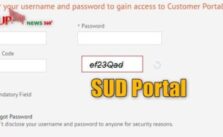
Enter your Username and Password
Enter the correct captcha code in the space provided
Click on the Login button
How to Login into SUD Employee Portal on Star Union Dai-ichi?
In order to register on the Employee Portal of Star Union Dai-ichi, one needs to follow the steps given below:
Visit the official website of Star Union Dai-ichi- https://www.sudlife.in/
Go to the Login Panel and click on ‘Employees’
Enter your Username and Password
Enter the correct captcha code in the space provided
Click on the Login button
Awards and Recognitions received by the Star Union Dai-ichi:
Owing to its contributions and the exceptional service provided to its customers, all around the globe, the Star Union Dai-ichi has received a lot of recognitions and awards worldwide. Some of them are as follows:
National Award of Excellence in Corporate Governance by the Institute of Company Secretaries in January, 2020
Golden Peacock in Corporate Governance by the Institute of Directors in October, 2017
Claims Service Leader Award by India Insurance Awards in 2107
Life Insurance Company of the Year by India Insurance Awards in February, 2015
SUD Life के बारे में
SUD Life का कार्यालय एक मोबाइल एप्लिकेशन है जो विशेष रूप से स्टार यूनियन दाई-इची लाइफ (सूद लाइफ) इंश्योरेंस कंपनी प्राइवेट लिमिटेड के बिक्री कर्मचारियों को प्रदान करने के लिए विकसित किया गया है, जो एप्लीकेशन ट्रैकर, सर्विसिंग ट्रैकर, लक्ष्य बनाम उपलब्धि आदि जैसे अपने व्यावसायिक डेटा तक पहुंच है।
रजिस्टर करने के लिए कृपया अपने कर्मचारी आईडी और बिक्री पोर्टल पासवर्ड का उपयोग करें। केवल सक्रिय कर्मचारियों को ही प्रवेश की अनुमति दी जाएगी ।
Frequently Asked Questions
In which year was the Star Union Dai-ichi start?
Ans: The Star Union Dai-ichi was established in 1902.
When did the Star Union Dai-ichi enter into the Indian market?
Ans: The Star Union Dai-ichi entered the Indian market in 2009 as a joint venture between two of India’s leading public sector banks, Bank of India and Union Bank of India.
Who are the Channel Partners of the Star Union Dai-ichi?
Ans: The Channel Partners of the Star Union Dai-ichi are Bank of India, United Bank of India, Gramin Bank of Aryavart, Madhya Pradesh Gramin Bank, Kashi Gmoti Samyukt Gramin Bank and Vidharbha Konnkan Gramin Bank.
What products does the Star Union Dai-ichi offer?
Ans: Some of the products offered by the Star Union Dai-ichi are as follows:
Protection Plans
Savings Plans
Retirement Plans
Wealth Plans
Group Plans
Child Plans
How to pay premium on SUD sales portal online?
Ans: To pay premium very easy just follow below 4 steps:
Visit SUD sales portal official website https://cp.sudlife.in/en-US/Pages/PayOnline.aspx
Enter policy number & Date of Birth
Select payment method Like Net banking, Devit/credit card, UPI, Google Pay, etc..
Last after payment you can save/print your payment receipt or acknowledgement
How to login SUD sales portal?
Ans: For login in SUD sales portal visit website and enter your username & password.
SUD Life Grievance or Customer Service Numbers
For any query you can contact below SUD Life customer service numbers:
SUD Life Toll Free Number: 1800 266 8833 (Mon-Sasturday between 9:30 A.M – 6:30 P.M)
Email Address: customercare@sudlife.in
Conclusion
To ensure that your immediate family has some financial support in the event of any unforeseen condition or, to have a savings plan for the future so that you have a constant source of income, you need to get yourself insured. This is where comes the importance of SUD. Not just worldwide, but the Star Union Dai-ichi Life has one of the largest life insurance distribution footprints in India.
From the very beginning, SUD sales portal or the Star Union Dai-ichi has kept its customers as its first priority. It caters to their unique needs and requirements across various strata of society. For more information or latest news you can check our 24*7 news portal.
What is Telangana IFMIS pay slip? How to generate IFMIS pay slip TS online? Integrated Financial Management Information System stands for Integrated Financial Management Information System. Checkout Meeseva Sadarem Certificate Apply online.
The main objective of this IFMIS pay slip portal is to automate the public financial management process which includes preparation of the budget and executing the accounts and reports. The Integrated Financial Management Information System also consolidates with other systems as well such as the payroll and pension, revenue, and human resources. Know about Telangana Dharani Portal, Diksha app, भारतीय स्वदेशी Tooter ऐप Alternative of Twitter and more.
IFMIS Pay Slip TS
Features of Integrated Financial Management Information System
The main function of the Integrated Financial Management Information Systems financial management. The various sections under its management includes debt management, cash management, and treasury management. By keeping a check on the financial statements it ensures that the quality of the statements are not lost.
All the financial events are tracked and summarized by IFMIS. It can be considered as the process of using the information as well as the communication technologies to manage the financial operations.
The basic features of the Integrated Financial Management Information System include the following:
It classifies standard data for recording and managing the financial events.
It also controls the transaction process, data entry, and reporting.
The Integrated Financial Management Information System also designs a system to remove the duplicate data entries.
How to Login into Integrated Financial Management Information System Web portal?
Logging into the Integrated Financial Management Information System Web Portal is an easy and simple process. By following just a few steps, one can log in to the IFMIS payslip Portal and get access to its services and beneficiaries. The steps to log in to the Integrated Financial Management Information System Web portal are as follows:
Visit the official website of the IFMIS payslip or Integrated Financial Management Information System Web portal.
Select the ‘Login’ option.
Enter your username and password.
Click on the ‘Submit’ button.
Integrated Financial Management Information System Payslip
The Integrated Financial Management Information System or IFMIS payslip is considered as the online slip that contains the record of the salary of an employee. These slips are usually generated on the official websites. Each employee receives the SMS of their salary. The SMS is usually sent by the Payslip web portal.
Details in the Integrated Financial Management Information System Pay slip
The Integrated Financial Management Information System contains the following details such as Employee Code, Designation of the Employee, Token date, bill date, DDO Code, Bank Account Number, Bill Gross Amount, Employee GPF Number, Bill Net amount, Bill Deduction Amount, Employee Pan Number, Bank Name and Employee Earnings.
How to Download (Integrated Financial Management Information System) OR IFMIS Pay Slip Portal
The process to download the Integrated Financial Management Information System or IFMIS payslip is not at all complex. You just need to follow a few simple steps in order to download the payslip instantly. The following steps will help you in downloading your Integrated Financial Management Information System Payslip.
First, visit the official Integrated Financial Management Information System web portal.
Login to the IFMIS portal and you will be directed to the homepage.
On the homepage, you will see a ‘PAYSLIP’ option.
Click on the ‘Payslip’ option to generate the payslip.
Enter your employee code or bank account number.
Once you have entered your details click on the ‘search’ option.
Then click on the ‘Send OTP’.
Next, you need to enter the OTP into the given space.
Finally, generate the payslip.
Integrated Financial Management Information System Web Portal resetting password
Under any circumstance, if the user somehow forgets the IFMIS login password, there is no necessity for seeking the employer’s help. The page of the portal has a “forgot password” option displayed. The process for resetting the password is simple and easy to follow. But before beginning the process of resetting, the user must have the following details ready at hand:
The respective IFMIS employee ID number
The date of birth as registered
Employee full name
Registered mobile number
Overview of IFMIS Pay Slip TS
In this section we shared overview of breakdown of IFMIS pay slip ts as mentioned below:
IFMIS Pay Slip
Details
Employee Name
ABC PATEL
Code
1234567
Designation
Secondary Teacher
GPF Number
PZ-12345
PAN Number
*****5403K
DDO Designation
Officer
Code
0123456789
Bank Account Number
3273*********
IFSC Code
SBIN0******
Date
03/12/2020
NOTE: The above information is like Dummy information. Just for assumption.
About Telangana IFMIS Pay Slip
IFMIS pay slip डीडीओ पदनाम, डीडीओ कोड, कर्मचारी कोड, कर्मचारी नाम, कर्मचारी पदनाम, कर्मचारी जीपीएफ नहीं, कर्मचारी TSGLI नहीं, शामिल हैं, कर्मचारी पैन नंबर, बैंक ए/सी नंबर, बैंक आईएफएससी, बैंक का नाम, कर्मचारी स्केल, सीएचक्यू नंबर, सीएचक्यू डेट, टोकन नंबर, टोकन डेट, बिल डेट, बिल ग्रॉस राशि, बिल कटौती राशि, बिल नेट राशि, कर्मचारी आय विवरण: (बेसिक + डीए + एचआरए + तेलंगाना वेतन वृद्धि), कर्मचारी कटौती विवरण: (जेडपी जीपीएफ + पीटी + TSGLI (S) + समूह बीमा), कर्मचारी आय, कर्मचारी कटौती और कर्मचारी नेट राशि ।
F.A.Q about IFMIS Pay Slip Portal 2024
How do I download my payslip from IFMIS?
Ans: To download IFMIS Payslip visit official website https://ifmis.telangana.gov.in/get_payslip
What is IFMIS pay slip?
Ans: IFMIS means Integrated Financial Management Information System.
How do Login in IFMIS portal online?
Ans: For Login in IFMIS portal visit IFMIS official website https://ifmis.telangana.gov.in/login
What is the official website of IFMIS?
Ans: Here is the official website of IFMIS Telangana payslip https://ifmis.telangana.gov.in
How to generate IFMIS payslip online?
Ans: To generate online IFMIS payslip visit official website of IFMIS telangana https://ifmis.telangana.gov.in/
What details required for generate IFMIS pay slip?
Ans: For generate IFMIS pay slip you need employee code & account number
Final Words
In this article, we have given you detailed information about the Integrated Financial Management Information System. Moreover, also the process to download the IFMIS payslip TS or TS employee pay slip download as well.