Notice: Function _load_textdomain_just_in_time was called incorrectly. Translation loading for the wp-captcha domain was triggered too early. This is usually an indicator for some code in the plugin or theme running too early. Translations should be loaded at the init action or later. Please see Debugging in WordPress for more information. (This message was added in version 6.7.0.) in /www/wwwroot/upnews360.in/wp-includes/functions.php on line 6260
Uttar Pradesh News Portal - Page 39 of 53 -
Categories
General

UMID Login & Registration: How to Download UMID Card & App?

What is UMID?

Before we understand what is umid login we need to understand the concept of UMID and what it has for us? and what is the point of knowing about it?. Basically Umid is the acronym for Unique Medical Identity Card. This card provides few or more provisions for the card holders. In railway you can know the meaning of RLWL in Indian Railway online.

This UMID card has been launched by Indian Railways to benefit the Indian Railways Employees, the pensioners of Indian Railways and their dependants like- parents, children.

UMID Login
UMID Login

This card is provided to each and every railway employee to foster and help their family and it is further strengthened by the unique identification code and later on scanned by the QR code and biometric identity.

Featuring a common database at all India levels. Thus this particular system helps in the formation of a system which provides the employer confidence and attitude of working in a better way. This project is to enhance the Indian Ecosystem. Also you can check dividend or OFS of IRCTC results online.

Benefits of UMID

The UMID was offered in India for a wide variety of benefits related to medical objectives. The objectives of UMID are–

  • UMID Cards simplify the process of application and revising the rules, regulations and benefits of the same.
  • There is a built in mechanism or system. It helps to have a proper convenience of health benefits.
  • To generate the automatic OPD slips with the assistance of KIOSKS present in different hospitals.
  • The smart identity features of QR and biometric scales helps to understand and have the bypass of identification of the card (physical card).
  • We can now issue smart cards to all the medical beneficiaries of–
  • The beneficiaries are–
  • Employers
  • The pensioners
  • The dependants of employers and pensioners like-  both the parents, unmarried sisters, two children below the age of 21.

Some of the other beneficiaries from the same card are– quasi railway officers, quasi railway employers, the porters, the coolies, the transport drivers and many more.

Features of UMID Login Portal

Let us now discuss the salient features of the UMID Cards are–

  • It is generated in an electronic platform.
  • So it is a card free system.
  • It changes the health unit.
  • Automatic Generation of OPD slips.
  • Hospital wise Debits and Credit cards.
  • Hassle free usage.
  • Presence of both web and mobile application
  • Applicability and scalability.
  • The continuous validation mechanism.
  • CSTE Scheme hospitals.
  • Referral Hospitals interfacing.

How to Register into UMID Portal?

Let us now understand the process of UMID login and registration with these three simple steps–

  1. First we need to choose the beneficiaries which is either an employee or pensioner or others.
  2. Then we have to mention the Identity particulars like the date, Permanent Account Number, Date of Birth and the provident fund number)
  3. Then we have to register our mobile phone number.

UMID login is one of the most confidence building security provided by the Indian Railways. No wonder why Indian Railways is stated as the most secured option for jobs.

How to Login into UMID Portal?

Now let us discuss the points of login Procedure of UMID —

  1. First we have to apply for the UMID card otherwise it is impossible to login.
  2. Login through the mobile OTP. OTP is the One Time Password which is received to the consumer via SMS.
  3. Option to initiate a new application with pop up on the screen we need to click on it.
  4. Then one needs to complete the details of self and family members.
  5. We now have to upload relevant documents through scanning and then click.

Documents Required for Logging in to the UMID Portal

The things or documents required for UMID logging in are–

  • Photograph of the employee and all the dependents. The once who wants to apply for the Umid card.
  • Signature of employee with date.
  • Old medical ID card of the employee.
  • The ID proof of all the individual dependents.

The same documents are required for pensioners applying for the same just there should be an addition of last pension slip.

F.A.Q about UMIG Login

  • How can I download UMID card?

Ans: People can download UMID card from Android application or visit official portal and download UMID card.

  • Where can I withdraw money from my UMID card?
  • How can I check my UMID card online?
  • What is UMID?

Ans: in India railways UMID card is a smart health system

  • How do I add family members to UMID?
  • Is UMID and SSS number the same?
  • How can I use my UMID card?
  • Does UMID card expired?

Final Words

In the above article we shared all the detail information related to UMID login & registration, how to download UMID card online, UMID app download, full form of UMID and more. For more info about Indian railway news refer up news360 portal regularly.
Categories
General

ISMS Portal: आईएसएमएस पोर्टल & Student Registration MPOnline

ISMS Full Form

What is ISMS portal? आईएसएमएस पोर्टल  or ISMS full form is Institute Student Management System. In this article  we covered ISMS login portal procedure online, step by step guide for ISMS password retrieve, student registration, ISMS contact details and more.

As we know there are many education portal available like MSCC hrms login portal, eduvate login procedure and more.

ISMS Portal
ISMS Portal

आईएसएमएस पोर्टल के बारे में

संस्थान छात्र प्रबंधन प्रणाली (आईएसएमएस) का उद्देश्य – डिजिटल इंडिया को ध्यान में रखते हुए छात्रों को डिजिटल सशक्तिकरण। आईएसएमएस छात्रों को संस्थानों की सभी सेवाएं ऑनलाइन प्रदान करता है। आईएसएमएस का लाभ किसी भी समय छात्रों डेटाबेस प्रबंधन, विद्वान रजिस्टर प्रबंधन, नामांकन और परीक्षा प्रक्रिया प्रणाली, खाता प्रबंधन, शुल्क संग्रह प्रबंधन जैसे रिकॉर्ड को आसानी से ट्रैक करने के लिए।

Latest: About Koo app twitter

एमपीऑनलाइन का उद्देश्य संस्थानों को वास्तविक समय ऑनलाइन प्रणाली प्रदान करना है। इसलिए, एक क्लिक पर छात्रों की सभी स्थिति और विभिन्न प्रकार की रिपोर्ट आवश्यकतानुसार उपलब्ध होंगी। दूसरी ओर संस्थानों के छात्र किसी भी जहां से अपने बकाए का भुगतान कर सकते हैं और काउंटर खिड़कियों पर कतार में खड़े होने और बड़ी दूरी की यात्रा से अपना अधिकांश समय और धन बचा सकते हैं ।

How to Login in ISMS MPOnline Portal?

As we know many people want to login in ISMS portal, so here we shared step by step procedure for ISMS Login portal as mentioned below:

What if We Forgot ISMS Password?

As a human sometimes we forgot password. In this case if you forgot your ISMS portal password, Don’t worry you can retrieve via username.

  • For retrieve ISMS password click here https://isms.mponline.gov.in/Portal/Services/IMS/frm_ForgotPassword.aspx
  • Enter your username
  • And click on “Search” button

How to Student Registration in ISMS Portal?

In ISMS portal student registration procedure is very easy. Just follow step by step procedure for ISMS student registration.

  • First of all visit here https://isms.mponline.gov.in/Portal/Services/IMS/Student/frm_StudentRegistration.aspx
  • Next select University College from List
  • After that enter Applicant ID or Scholar No
  • And enter your Date of Birth in DD/MM/YYY format
  • Finally click on “Show” button

ISMS Contact Details

  • ISMS Contact Details: MPOnline Limited

3rd Floor State IT park,

Abbas nagar,

Bhopal 462036

  • ISMS Contact Number: 0755 6720200

Frequently Asked Questions

  • What is ISMS full form?

Ans: ISMS full form is Institute Student Management System.

  • How to login in ISMS portal online?

Ans: You can login in ISMS portal via this link https://isms.mponline.gov.in/Portal/frmlogin.aspx

  • Can we retrieve ISMS password portal?

Ans: Yes, definitely you can retrieve ISMS password via click on forgot password button.

  • How to know ISMS contact number?

Ans: ISMS contact number is 0755 6720200.

Final Words

Hope you got all the detail information about ISMS portal, how to login in ISMS portal MPonline or आईएसएमएस पोर्टल, contact details and all. Still any query you can write in the below comment box.

Categories
General

HRMS GTPL Login: Payslip or Payroll in GTPL HRMS Portal

What is Gujarat Telelinks Private Limited?

GTPL is one of India’s highly used cable TV and broadband service providers. The full form of GTPL in Gujarat Telelinks Private Limited. It was founded by Anirudhsinh Jadeja and Kanaksinh Rana in 2006. The Present chairman of GTPL is Mr. Rajan Gupta.

The consumer of GTPL is about 8 million households. Before having a unified cable operating system in India , India’s consumers used normal cables which had different service providers. Up news 360 portal many article about HRMS login guide like UCO bank HRMS portal online.

HRMS GTPL
HRMS GTPL

Somewhere down the line GTPL unified the whole India. It works in 500 cities across India which includes

  • Maharashtra
  • West Bengal
  • Gujrat
  • Rajasthan
  • Jharkhand
  • Assam
  • Goa
  • Andhra Pradesh
  • Bihar
  • Madhya Pradesh
  • Telangana

What does Gujarat Telelinks Private Limited offer to its consumers?

Now let us discuss what all GTPL provides for all of its consumers —

  • It provides high speed broadband internet services to homes and offices.
  • The prices of GTPL are very affordable and flexi pricing.
  • The company is well equipped with Gigabit passive optical network (GPON) fibre to Home Technology (FTTH) with seamless fibre optical cables spread across the nation.

Boxes based on the demand of the consumer:

There are also type of set up boxes based on the demand of the consumer like–

  • GTPL MUSIC HD
  • GTPL ACTION
  • GTPL BOX
  • GTPL BHAKTI
  • SINDHI TV
  • GTPL CINEMA
  • GTPL GUJRATI
  • GTPL MALHAR
  • GTPL GOLD
  • GTPL RETRO
  • KATHA
  • GTPL MUSIC
  • GTPL DAYRO

They present before us with their recommended cable TV packages and HD packages.

  • Power HD
  • Royal HD
  • SD Packs of power
  • Power Lite
  • Power plus
  • Royal

How to Login into GTPL official website?

To login to the GTPL official website we have to follow certain steps–

  • The official website for hrms gtpl is — hrms.gtpl.net. We have typed it on our tab.
  • Type the correct username for getting it started
  • Also typing the correct password is very essential. If you have forgotten the password please type forget password and complete the formalities and to have a safe login formalities. The consumer GTPL user id and password will have to be saved on the router configuration page. It will also need to give a router identifier name (SSID) and a router login password (SSID Password).

Various Login Links for HRMS GTPL LOGIN:

Let us discuss the different login links for HRMS gtpl LOGIN–

  • gtpl.net-Sophos
  • gtpl.net at WI. Welcome to web Payroll and HRMS- https://selfcare.gtpl.net/
  • Get Hrms. Gtpl. Net News- Welcome To Web Payroll and HRMS – https://deets.feedreader.com/hrms.gtpl.net
  • User Login Hrms.Fgv Holdings.com- https://hrms.fgvholdings.com/FlexHR
  • Gtpl.Net Observe HRMS Gtpl News- https://feedreader.com/observe/hrms.gtpl.net
  • Gtpl.Net:Welcome To Web Payroll and HRMS- https://www.easycounter.com/report/hrms.gtpl.net
  • HRMS login-https://hrms.iwowsoft.com/iwowhr/security/login.html

Websites like– Sophos also asks to type the captcha to see whether we are human or not. We need to understand the concept of HRMS and why it is an essential part for our day to day life and why do we need to understand the concept?

HRMS is a powerful system organised and developed for designing to uplift the human day to life in an easier fashion. In simple words HRMS  is a powerful system that supports Human Resources departments by minimising time consuming tasks by humans and this is done by latest upgraded softwares and high automation. The Full form of HRMS is Human Resources Management System. The technical works of HRMS are–

  • Everything in HRIS and HCM
  • Labor Management or TLM
  • Productivity and profitability features
  • PAYROLL processing features

Final Words

In the above article we shared all the details about HRMS GTPL login procedure, channel list with contact number details. In case of any problems the customer care number is available to connect and contact.

The number is a toll free number 1800-419-0419. This is a centralised helpline number that works throughout the country. It is present for all the customers and subscribers. The customers may also contact GTPL executive at +91-9727-633-633 this is a toll -free number for any kind of queries

Categories
General

MSCC HRMS Login: एमएसएससी एचआरएमएस Portal 2024

MSCC HRMS Portal

What is MSCC HRMS? How to login in MSCC HRMS portal online? In this article we shared all the details regarding एमएसएससी एचआरएमएस or Maharashtra State Security Corporation HRMS login portal. Know about Medibuddy login portal procedure online 2024.

To demonstrate better security in the state of Maharashtra, Maharashtra State security corporation (mssc) was established vide Maharashtra state security Corporation Act,2010. ( Maharashtra Act No. 6 of 2010). Mssc is established to ensure better security and protection for the State as well as the central government. Latest news about Koo twitter app download & install procedure.

MSSC HRMS
MSSC HRMS

This includes protection for state and central government offices, their employees, undertakings under them. This also includes security and protection for financial institutions, educational institutions, religious institutions, public sector undertakings in the state of Maharashtra as well as private commercial institutions, manufacturing units, corporate bodies etc.

How to Login in MSCC HRMS Portal Online?

In this section we shared detail guide about MSCC HRMS login procedure step by step as mentioned below:

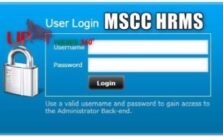
  • First of all visit http://www.mssc.co.in or MSCC HRMS official website
  • Next enter username & password
  • Finally click on “Login” button

एमएसएससी एचआरएमएस के बारे में

राज्य सरकार और केंद्र सरकार के कार्यालयों, उपक्रमों, ऐसे सभी प्रतिष्ठानों के कर्मचारियों, महाराष्ट्र राज्य में सार्वजनिक क्षेत्र के उपक्रमों, महत्वपूर्ण प्रतिष्ठानों, वित्तीय संस्थानों, धार्मिक संस्थानों, शैक्षिक संस्थानों और जैसे निजी वाणिज्यिक संस्थानों, कॉर्पोरेट निकायों, विनिर्माण इकाइयों आदि को बेहतर सुरक्षा और सुरक्षा प्रदान करने के लिए, महाराष्ट्र राज्य सुरक्षा निगम महाराष्ट्र राज्य सुरक्षा निगम अधिनियम के तहत महाराष्ट्र राज्य सुरक्षा निगम की स्थापना की गई है । , 2010 (2010 का महाराष्ट्र एक्ट नंबर VI) ।

महाराष्ट्र राज्य सुरक्षा निगम एक कॉर्पोरेट निकाय है, जिसका नेतृत्व पुलिस महानिदेशक के एक आईपीएस अधिकारी करते हैं, जो निगम के उपाध्यक्ष और प्रबंध निदेशक हैं।

Maharashtra state security corporation is a corporate body headed by the IPS officer of director general of the Police who is the managing director and vice chairman of the Police. As per the authority of Maharashtra state security corporation Act,2010, Maharashtra state security corporation has built the security force, Maharashtra security force.

This corporation is super active and effective while providing safety and security to all the institutions and corporate offices, all the organizations of Maharashtra and several other private and government sector corporations or communities which are spread in every corner of the state of Maharashtra.

Secretary in charge of the home department of the government of Maharashtra is the chairperson of the Maharashtra state security corporation.

How are members in Maharashtra state Force selected?

There are several steps involved in selecting members and candidates of  the Maharashtra state Force.

  • The main criteria for selection of all the personnel are after a vigorous competitive process which includes competitive mental and physical fitness and well being for the job.
  • All the selected personnel are considered to be public servants under section 21 of Indian Penal Code (IPC) and have been granted the status Special Police Officers as per section 21 of Bombay Police Act,1951.
  • Character and preceding of each of the personnel are finely verified and kept under strict discipline.
  • All the personnel have the rights to arrest and have all the police powers.
  • All the force members or personnels undergo reorientation training courses and periodic refreshments.
  • All the members and personnels of the force have the authority to carry weapons and use them in discharge of their duties to provide security and safety to the state of Maharashtra.
  • The service officer of Indian Police service IPS supervises the recruitment, training, service delivery, and the discipline of the personnels.
  • Categorization of the Maharashtra State Force(MSF) personnels is scalable and dynamic. It can be changed in both job description and in Numbers effective immediately.
  • Once the personnels are selected after sessions of mental and physical checkups and examinations they undergo rigorous training, weapon handling,drill training and other requirements for the job. They are trained by Special Reserve Police Force (SRPF) , Pune and Central Industrial Security Force ( CISF), officers of Bomb Detection and Disposal Squad (BDDS),Maharashtra Intelligence Academy (MIA) and the government of india.
  • Force personnel are governed by the Police Act (Incitement to Disaffection),1922 and the police forces(restrictions of rights), 1966. Therefore they cannot form or join any associations, organize and participate in any agitation.
  • The purpose of training is to equip personnels with skills and knowledge to meet the goals of safety and well-being of the state. Personnels are trained physically and mentally for all adverse situations and for security purposes.
  • The personnel’s training comprises of

-Drill

-physical and mental endurance

-physical fitness

-fire fighting

– details about bomb and bomb diffusing

-tactical requirements of the job

-disaster management

-traffic and crowd Management

-first aid and rescue etc.

Management of MSSC:

There are several others who govern and manages the MSSC are:

  • Director general of police , Maharashtra
  • Commissioner of police, Mumbai
  • The commissioner, state intelligence department, the principal secretary home department, secretary in charge of the finance department and the director general in charge of state reserve police force.

Maharashtra State Security Corporation Contact Details

  • MSCC Head Office: Maharashtra State Security Corporation

Center -1, 32nd Floor, World Trade Center complex,

Prakash Pethe Marg, Cuffe Parade,

Mumbai – 400005

Maharashtra, India

  • MSCC HRMS Contact Number: 022- 22151847

Frequently Asked Questions

  • What is the full form of MSCC HRMS?

Ans: The MSCC HRMS Full form is Maharashtra State Security Corporation portal.

Final Words

We hope you know all the details about MSCC HRMS login portal like how to login एमएसएससी एचआरएमएस online, contact details with head office address and all. Still anything queries you can contact or reach out direct Maharashtra State Security Corporation or MSCC website.

Categories
Education

Vani Vidyalaya E Portal Minerva Login & Sign Up Procedure 2024

Vani Vidyalaya E Portal Minerva

What is Vani Vidyalaya e portal? As we know that education plays a significant role in the development of the nation. To uplift the level of education, the Government has taken effective steps and implemented several schemes which have improved the education system to a great extent. Know about CMRIT Student Login portal procedure 2024 online

The Vani Vidyalaya School is one of the best schools in Tamil Nadu, which is run by the Meenakshi Ammal Trust. It is an educational trust founded by Mrs. Meenakshi Ammal. The main motive behind establishing a school was that the poor students cannot pursue their higher education due insufficient money.

Vani Vidyalaya E Portal

Thus Vani Vidyalaya school and college has been established for the convenience of the children especially from the weaker section of the society. There are many student & parent portal like Skolaro parent portal online.

The students have been provided several scholarships and awards to the meritorious students. It has contributed to a great extent in the field of education and has also helped the underprivileged and differently abled students. Vani Vidyalaya, a CBSE affiliated school has provided a lot of facilities to the students to take the level of education a step higher.

Facilities Provided By Vani Vidyalaya

  • The infrastructure of the school is quite spacious, which creates an airy and fresh ambience for the students.
  • The school provides the facility of different labs for physics, chemistry, biology and computer science, which ensures a better learning of the students.
  • It has a large playground with all the latest equipment which creates a sense of enthusiasm among the students.
  • Performing other activities such as dancing, swimming, debates, etc are equally important for the development of the students. Therefore it engages the students in different co-curricular activities.

Contact Details Of Vani Vidyalaya

In case you have any query or issue related to the school or college, you can either visit the institution or contact through email or mobile number. The contact details of the school has been mentioned below.

  1. Address– Vani Vidyalaya Senior Secondary & Junior College No.12, Vembuliamman Koil Street West K.K.Nagar, Chennai Tamil Nadu 600078.
  2. Email Address- info@vanividyalaya.edu.in
  3. Vani Vidyalaya e portal Mobile Number- 044-23644343

Aim of Vani Vidyalaya e Portal

  • It aims to provide better education to the students, so that they can pursue their aims and choose a correct career for themselves.
  • Through various activities the school aims to build the confidence and personality of its students, making them proficient in every field.
  • The teachers use innovative ideas to make learning even more interesting, at the same time clearing each concept.

How to Login into Vani Vidyalaya E Portal

It is not at all difficult to login to the employee portal of Vani Vidyalaya. In order to login to the portal you need to follow certain steps.

  • Enter the username into the intended space.
  • Fill in the password in the given space.
  • Click on ‘login’ .
  • You will be redirected to the new page.

Faculty And Staff Of Vani Vidyalaya

The school comprises almost 159 teachers both males as well as females. There are almost 29 teachers in the pre-primary section.  Along with the principal and other faculty members, the school aims to educate the students and implement innovative ideas in the field of education.

The school provides Higher Secondary Education and is affiliated to the Central Board of Secondary Education (CBSE). The medium of instruction followed by the school is English. The school believes that education should not be discriminated against in terms of gender. Thus it is a co-educational institution that ensures both girls and boys receive education at equal levels.

Final Words

In the above article we provide all the details regarding Vani Vidyalaya e portal login procedure minerva, objectives, aim and more.

Categories
General

NHTS Telangana Government Login & Registration Online

NHTS Telangana Gov In

What is NHTS telangana? India is a developing country, still undergoing a lot of transitions in its political, economic and administrative structure. To become a fully developed and powerful country, it is essential to keep in mind certain aspects. Know about Telangana Electric Vehicle Policy 2024 launched by Telangana Government.

These include social development, economic upliftment of the poor, unfortunate masses and proper regulation of the health and sanitation of the people.

NHTS Telangana
NHTS Telangana

The Nutrition and Health Tracking System was started (NHTS) is an initiative adopted by the Women Development Child Welfare DepartmentGovernment of Telangana. This management information system (MIS) involves the registration of pregnant women, lactating mothers, children below 6 years.

It is concerned with the information related to the health and nutrition and services attached to it. It monitors the Immunization in children and services such as Supplementary Nutrition.

Goals of Nutrition and Health Tracking System was started (NHTS):

The Nutrition and Health Tracking system was first implemented in the Integrated Child Development Scheme(ICD) project of the Krishna district in January 2015. The following goals were set to be achieved by the system:

  • Reduce Infant Mortality Rate, malnutrition and Maternal Mortality Ratio
  • Effective deliverance of health and nutrition services
  • Improvement of the nutritional status of children below 5 years, Pregnant Women, Lactating Mother
  • Motivate mothers in good feeding practices, Institutional deliveries

Objectives of the NHTS (Nutrition and Health Tracking System)

  • Ensure that pregnant woman has undergone an anti-natal check-up
  • Make sure that lactating mothers have availed sufficient nutrition services
  • Ensure that every child below the age of 1 has received immunization doses
  • Do a close follow up of high-risk pregnant women
  • Ensure referral care for ill children

Achievements of NHTS Telangana  (Nutrition and Health Tracking System was started)

  • One of the main achievements of NTHS is its reliability and interoperability. Follow-up of beneficiaries is possible as data can be fetched by any Anganwadi Centre (AWC)
  • With the achievement of good results in the Krishna district, the program can be replicated in any state
  • The services provided by the Nutrition and Health Tracking System are sustainable
  • NHTS has achieved 100% achievement in providing immunisation
  • High-risk mothers were identified easily in the first trimester of pregnancy
  • Data is freely and easily accessible to anyone

How to Register on NHTS:

For the registration as a beneficiary in the Nutrition and Health Tracking System, it is important to keep in mind the following points.

  • To register as a beneficiary, it is important to provide the Adhaar number or Enrollment number
  • Those who do not have enrollment or Adhaar number, one can simply use twelve nines (999999999999) to proceed.
  • In the case of children who are 1 year, it is necessary to provide the Adhaar number of the mother
  • For those children above the age of 1, either the child’s or the mother’s Adhaar number can be provided
  • It is also mandatory to provide with a mobile number of either the beneficiary, husband or any family member

How to Login on NHTS Telengana:

Logging into the Nutrition and Health Tracking System is easy and simple if the following steps are followed:

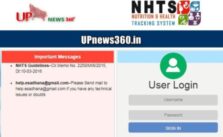
  • Visit the official Nutrition And Health Tracking System Telangana Login page
  • Enter your username and password.
  • Click on ‘Login’

Troubleshooting options are available in case of any problem while logging in.

NHTS Telangana Helpline or Contact Details

  • If you have any query or doubts you can directly reach out below given email ID for query.
    NHTS Telangana: help@esadhana@gmail.com

Frequently Asked Questions

  • What is NHTS Telangana?

Ans: NHTS telangana involve for getting information for pregnant women, children, etc..

  • What is the full form of NHTS?

Ans: NHTS means Nutrition and Health Tracking System.

Final Words

In the above article we shared all the details about NHTS telangana Government objectives, how to login and registration procedure. Keeping in mind the women and child development is a basic priority of any nation. Even the WHO (World Health Organization), one of the agencies of the United Nations Organization (WHO) has recognised the importance of keeping the safety and health of the mother and child in the first 1000 days of life.

Categories
Government

BIMS Login: Check bims Kerala Treasury Portal & Contact Number

Online BIMS Treasury Login Portal

What is BIMS login? BIMS stands for Bill Information and Management System. It is an e-billing system launched by the Finance Department to maintain the operation of the treasuries. Know about tsb login treasury kerala portal online.

It is mainly managed by the Drawing and Disbursing Officers to prepare the contingent bills and provide e-Submission to the treasury through BIMS. So know about BIMS kerala login, bims treasury portal and more.

BIMS Login
BIMS Login

Features of BIMS Kerala Login

BIMS has been of great help in the management of the bill. Some of the features of the BIMS include:

  • It allows you to generate the contingent bills.
  • It contains the bill book and the status of the bill.
  • The Expenditure Report of the Drawing and Disbursing Officers are also present in the login.
  • It allows online submission of TR 59E to the treasury.
  • The DDOs can easily approve the TR 59E.

How to Login to BIMS Portal

  • You can log in to BIMS through http://treasury.kerala.gov.in/bims/.
  • The ten-digit code of the DDO is the user ID for log in.
  • Your password will be added to the DDO code.
  • Once added, choose DDO in the Select role, and finally log in.

What if We Forgot BIMS Password

As human sometimes we forgot password. So In this BIMS login portal if you forgot your password. You can reset password and set new password.

To recover your old password or set new password you have to submit the request in Sub Treasury Officers.

Latest Update: From January 2024 there are 2 stages for account correction or verification. 1st stage is DDO leval and 2nd level is DDO admin level correction.

What is the Scope of BIMS?

  • The BIMS is used in the preparation of the contingent bills.
  • The BIMS is also used in the scholarship.
  • The advance bill settlement is also managed by BIMS.
  • It also allows Payment on Deposit.

Required Software for BIMS Login Portal

As we know in every business or organization there are required some types of software. So here we shared list of required software for BIMS login portal as mentioned below:

  • JRE Windows (32 bit)
  • JRE Windows (64 bit)
  • DSCSigner for Windows
  • Linux DSCSigner

How to Add Account in TSB BIMS Portal

Many people want to add account in Kerala TSB BIMS portal. In this section we shared step by step guide how to add TSB account in BIMS portal online.

  • First of all visit official website or here https://treasury.kerala.gov.in/bims/
  • Next open BIMS portal and login
  • After that tab on TSB option and add TSB account
  • Then enter required information like Account number, name, Account Type, etc.
  • Last and final click on “Submit” button

About BIMS DDO Admin Role

This role is for Approval Authority. All approvals have to be done using the login with this role. Login name of approval authority is same that of draft user. Password can be maintained separately.

BIMS Contact Number

If you have any query regarding BIMS login portal you can direct contact BIMS helpline number or send email as well.

BIMS Contact Number: 0471 2328471

Email Address: bams.keralatreasury@gmail.com

Frequently asked question

  • What should be the minimum length of BIMS?

The BIMS should have a password of a minimum of 8 characters.

  • Who has an access to the BIMS login?

Only the Drawing and Disbursing Officer can access the BIMS login.

  • Who should be contacted in case of any issue in the BIMS?

In case of any issue or problem, the treasury should be contacted.

  • How can one view the rejected bill?

In order to see the rejected bill, you need to visit the billing menu, as it is available in the input box of the billing menu.

  • What is BIMS?

BIMS means Bill Information and Managements System for settlement claim in e bill portal.

  • What is the criteria of password?

The criteria for BIMS password is minimum 8 digits long.

  • What is the official website of BIMS?

The official website of BIMS is treasury.kerala.gov.in/bims

  • Does the password have an expiry in BIMS?

No, there is no password expiry date in BIMS portal.

Final Words

So in the above article we shared all the information about BIMS login portal, bims kerala treasury login, bims login forgot password, contact helpline number of BIMS portal, features & scope of BIMS login portal. All suggestion are welcome. For more information and details visit upnews360 portal regularly.

NOTE: This is not official website so we request to all people don’t write your personal details like Aadhar card, account number, password and all. We are not responsible for any information about BIMS portal login kerala treasury.

Categories
General

MPEB Complaint Status Bhopal: मप्र में बिजली शिकायत टोल फ्री हेल्पलाइन नंबर

MPEB Bhopal Complaint Number

How to know MPEB complaint status Bhopal online? Bhopal electricity segment falls under the division of Madhya Pradesh Poorva Kshetra Vidyut Vitaran Company Limited. This is an entirely government-owned organization that is known to provide services and products related to the power sector.

There are several types of contact variants in case any user feels the need to do so. There are several customer service centers located at various locales to assist you in solving your problems. Also know about MPEB complaint status Indore online, as well as MPEB Jabalpur complaint number with address.

MPEB Complaint Status Bhopal

एमपीईबी उद्देश्य

कंपनी का मुख्य उद्देश्य दक्षता लाभ प्राप्त करने के लिए काम का बेहतर निष्पादन और कंपनी को वाणिज्यिक रूप से व्यवहार्य, उत्तरोत्तर आत्मनिर्भर और कम सरकारी निर्भर बनाना है । इसके साथ ही उपभोक्ताओं के हितों की रक्षा के लिए क्वालिटी सर्विस और लॉजिक टैरिफ के बीच संतुलन बनाए रखा जाना है ।

Check: SBI Bank lunch timings 2024

Bhopal Electricity Customer Care Contact

Any user is free to access the customer care executives over a simple phone call. The centralized customer care contact number is applicable to all the relevant towns. The phone number is 0731-6700000, 1912. These two numbers are applicable to the registration of Bhopal electricity complaints.

Bhopal Electricity Online Enquiry

For fast checking of your previous complaint status or for registering any new complaint online, all you need to do is to follow a few simple steps. You need to visit the official website at www.mpwz.co.in and log in to the relevant portal.

The importance of this MPEB complaint status Bhopal portal is immense. Not only for the complaint related issues, but this portal can also be used for fulfilling several other requirements pertaining to this sector like bill payments, any request for a new connection, any updation of individual details for ensuring prompt service, etc.

MPPKVVCL Customer Care Email Addresses

In case you wish to write about any issues to the concerned authorities, you can directly mail them at the designated email addresses. The relevant email ids are support@mpwz.org, for any sort of customer support and epaymenthelpdesk@gmail.com which is exclusively meant for clarifying payment related queries.

MPEB Postal Address

Madhya Kshetra Madhya Kshetra Vidyut Vitaran Company Limited

Bijli Nagar Colony,

Nishtha Parisar,

Govindpura,

Bhopal-462023

Email: contact@mpcz.co.in

  • MPEB complaint Phone number: 0755-2589821

Website link: https://portal.mpcz.in

You need to register yourself first to avail of the online facilities. The registration procedure is simple. It is just a matter of a few clicks on your smartphone. First, visit the official website and click on login. Follow the procedures as it will be displayed on the screen by filling in the relevant details. Click on the sub, it. This will complete the registration process.

If you want to access the current status of your previously lodged complaint, then you need to type the words “mpeb complaint status” on the internet server you are using or you can directly open the link at https://mpezccc.in/mppkvvcl/home/tracking.

Furnish the complaint number which is automatically generated once your complaint is lodged and registered. This will be followed by entering your registered mobile number. Then click on submit. This will open the relevant page displaying the current status. You can also access DTR complaint page from this link only.

एमपीईबी के बारे में

मध्य प्रदेश मध्य क्षेत्र विद्युत वितरण कंपनी लिमिटेड (एमपीएमकेवीवीसीएल) को 31 मई 2002 को पूर्ण स्वामित्व वाली सरकारी कंपनी के रूप में शामिल किया गया था, कंपनी अधिनियम 1956 के तहत, इसे मध्य प्रदेश सरकार के आदेश संख्या 5555/RS/4/13/2001 दिनांक 1 जुलाई 2002 के तहत अधिसूचित किया गया है। यह कंपनी भोपाल, होशंगाबाद, ग्वालियर और चंबल के आयुक्तों के दायरे में आने वाले क्षेत्रों में वितरण और खुदरा आपूर्ति की गतिविधियां चलाती है।

कंपनी ने रजिस्ट्रार ऑफ कंपनीज, मध्य प्रदेश और छत्तीसगढ़ ग्वालियर से 16 जुलाई 2002 को कारोबार शुरू होने का प्रमाण पत्र प्राप्त किया। इसके बाद मध्य प्रदेश सरकार की अधिसूचना संख्या 3679/एफआरएसएस/18/13/2002 दिनांक 3105-2005 के तहत कंपनी को 01-06-2005 से कार्यात्मक स्वायत्तता प्रदान की गई है। कंपनी का सिन नंबर U40109MP2002SGC015119 है। मध्य प्रदेश सरकार ने अपने आदेश संख्या 2671/12/13 दिनांक 29 मार्च 2012 के अपने आदेश के तहत कंपनी के सभी शेयरों को एम पी पावर मैनेजमेंट कंपनी लिमिटेड को हस्तांतरित कर दिया था और बाद में हमारी कंपनी अब मप्र पावर मैनेजमेंट कंपनी लिमिटेड जबलपुर की सहायक कंपनी है।

Final Words About MPEB complaint status Bhopal

यह MPEB complaint status Bhopal or मध्य प्रदेश विद्युत बोर्ड, भोपाल की शिकायत स्थिति के संबंध में एक व्यापक गाइड है। यह लेख आपको विषय से संबंधित आपके प्रश्नों के प्रति मार्गदर्शन करेगा और आपको त्वरित लिंक और यहां उल्लिखित संपर्क नंबरों के माध्यम से आसान पहुंच प्रदान करेगा।

Categories
Food

Goli Vada Pav Franchise Cost or Goli वड़ा पाव Franchise Apply Online

Goli Vada Pav Franchise Cost

What is Goli Vada pav franchise? In this article we shared information about Goli vada pav franchise cost or Goli वड़ा पाव features and more. Goli Vadapav first came into business in the year 2004 in Mumbai. As we know many people looking for what is SBI reference number in transaction so we shared that guide as well.

The primary focus was to serve hygienic street food. The advent of this food chain redefined the manner of street food sale. Currently, they are maintaining over 300 outlets across the country including twenty states and hundred cities. Check about SBI lunch time 2024 online.

Goli Vada Pav Franchise

Some of the exclusive menus of the food chain includes curry pavs, goli fries, vada rolls, paneer roll, maharaja vada pav, crispy vada pav, etc. With such popularity and such a wide and strong customer base, it becomes considerably easier to succeed in the franchise business of Goli Vada Pav.

Advantages of Goli Vada Pav franchise

  • Considered to be a time-tested business model
  • A quite popular brand of Maharashtra
  • Maintaining standard operating techniques in all the sectors of business
  • Inflation-insulated
  • End-to-end logistic support with stock replenishment
  • Entirely centralized buying and sourcing starting from oil to packaging
  • Continuous research and development for incorporation of the seasonal menus
  • Efficient marketing support
  • Mandatory training course provided
  • Product life enhanced to nine months with zero wastage

Basic Investment Requirement For Goli Vada Pav Franchise

Capital: The basic capital requirement for starting a Goli Vada Pav franchise is around five lakhs to ten lakhs rupees. It can also rise up to twelve lakhs depending on the business location and some other factors. You can always openly discuss this issue with the respective company officials.

Area: It goes without saying that the bigger the space, the better it is for the business. However, the minimum area requirement in this case is around 350 sq. ft. with 15 ft. front area.

How To Apply For Goli Vada Pav Franchise Online?

Applying for franchise at Goli Vada Pav is very simple. You just need to follow certain simple steps. The procedure is as follows:

  1. Visit the official website of the company at golivadapav.com
  2. Click on the franchise tab
  3. Enter and submit the relevant details as required
  4. This completes the application process and the respective authorities will contact you in due course.

You can also opt for the offline approach for application.

The company maintains common agreement tenure of three to five years. On maturity, you can either renew it or not, depending on the circumstances.

Goli Vada Pav Franchise Contact Details

Website: https://m.golivadapav.com/

Head Office: A-107/108 Kailash Ind Complex,

Powai,

Vikhroli Link road,

Park Side Road,

Vikhroli West,

Maharashtra- 400079

Email: gtp@golivadapav.com

Goli वड़ा पाव के बारे में

GOLI वड़ा पाव की खास बात यह है कि सस्ती कीमतों पर वड़ा पाव की विस्तृत वैरायटी पेश की जा रही है। इतना ही नहीं वड़ा पाव्स उनके पास बहुत पॉकेट फ्रेंडली कीमतों पर रोल, डेसर्ट और फ्राइज़ भी हैं । GOLI वड़ा पाव आने वाले दो लोगों के लिए औसत लागत ₹ 150 है जो बहुत सस्ती और सस्ती है।

कंपनी के पास हर किसी के लिए कुछ है और वह कभी भी आपके स्वाद को असंतुष्ट नहीं छोड़ेगी और आप अपने भोजन के हर काटने पर रोल करेंगे। उनके पास वड़ा पाव्स की एक विस्तृत श्रृंखला है जो इस तरह के मुख्य फास्ट फूड के लिए ठीक होना बहुत मुश्किल है। आप इसे कहीं भी हो सकता है, जबकि आप जाने पर कर रहे हैं । वे भी वहां से बाहर सभी स्वास्थ्य के प्रति जागरूक लोगों के लिए स्वस्थ विकल्प है ।

Frequently Asked Questions

  • Is Goli vada pav franchise profitable?

Ans: Honestly it’s depends on Location but if your business works you can earn good income.

  • How much Goli Vada pav franchise cost?

Ans: If you want to open outlet of Goli vada pav you need huge investment like 10-12lakh initially.

  • Is there any contact number for franchise of Goli vada pav?

Ans: For Goli vada pav franchise you can contact official website.

  • How to get franchise of goli vada pav?

Ans: You can apply online or visit head office.

  • Is there any way to take franchise of goli vada pav?

Ans: Yes, visit official website.

  • How to open goli vada pav franchise?

Final Words

This is a compact and comprehensive guide highlighting all the relevant details of Goli Vada Pav franchise cost, how to apply online, advantages, etc.

Categories
Finance

SBI Reference Number Check: एसबीआई रेफरेंस नंबर Kya Hota He

SBI Reference Number Check

What is SBI reference number? In this article we shared detail information about SBI reference number, objectives and aims, types of SBI reference number and more. We heard many people looking for bank timings like SBI lunch timings online, PNB bank timing and more.

SBI Reference Number

As we know when we transfer money to other person or in Payment slip there is mentioned reference number. In every transaction there is 20 to 30 digit reference number. Bank employees are looking for HRMS details as so you can know about Uco bank hrms details online.

Aims and Objectives of the State Bank of India:

The main aims and objectives of the State bank of India are as follows:

  • To work in compliance with the economic policies formulated by the government.
  • It motivates and mobilizes savings by establishing branches in rural and semi-urban areas.
  • It aims at providing financial assistance to the small scale and cottage industries.

What Does State Bank of India do?

The State Bank of India does the following activities:

  • The bank even buys gold and silver.
  • It acts as an agent of the Reserve Bank of India and provides the services where Reserve Bank is not present on its behalf.
  • Also acts as an agent of the cooperative banks.
  • It draws the bill of exchange and grants letters of credit payable out of India.

The State Bank of India has actively sponsored and taken part in the welfare activities of the country so that it could play an active role in the progress of the country.

Types of SBI Reference Numbers:

In context to the banking sector, there are different types of SBI reference numbers that can be referred to. They are as follows:

  • Application reference number: This refers to the application reference number which is generated when you use an application like an Account opening form, Loan application, etc., especially through online application services of the Bank. This reference number is required, whenever any information regarding the fate of the application is to be traced.
  • Ticket Reference Number: This type of reference number is quoted by the bank at the time of follow-up of the complaint. This is generated every time a complaint is registered with us through our CMS either online or through our contact center or through a branch.
  • Transaction reference number: This type of reference number is generated after every successful financial transaction. In case of any query or issue with the transaction, the reference number pertaining to such transaction is to be provided to the Bank.

How to Check Transaction Status with the Help of a SBI Reference Number?

The process to check the transaction status with the help of a reference number is given below:

  1. Visit this State Bank of India online banking website – https://www.onlineState Bank of India.com/.
  2. Log in to the portal by entering your username and password
  3. On the menu bar located at the top of the page, click on the option stating ‘Request and Enquiry‘.
  4. A drop-down list will appear, showing a number of options. Among these numerous options, click on the ‘More‘ tab.
  5. A page will appear showing a variety of options. You should click on the option which says, ‘Status Enquiry‘.
  6. After this, text boxes will appear. One would include ‘Start Date‘ and the other states the ‘End Date‘. Enter the relevant details in the text boxes according to the dates for whose transaction you require the status.
  7. Click on the button appearing on the page which states ‘View‘.
  8. After conducting any form of the transaction through internet banking provided by State Bank of India, a reference number for that transaction is received.
  9. Find the reference number from the long list to view its status. After finding it simply click on it.
  10. A new page will appear which will include all the transaction details, reason, and status.

Note: Before proceeding to the steps mentioned above, one should have an account in the State Bank of India.

About State Bank of India:

The State Bank of India is a multinational public sector banking institution that was established on July 1, 1955. It has its headquarters in Mumbai, Maharashtra. It is one of the oldest and largest banks in India. So it has over 24000 branches across the country. It is considered the largest and oldest commercial bank in India.

The bank provides its services globally and even offers banking schemes and products for both the non-residential Indian or the NRIs. It comes under one of the top banks in the world. The State Bank of India was built with the goal of transforming India into a developed state by providing its services. They provide simple and innovative financial solutions and assistance. It has more than 20,000 branches worldwide.

The bank has been involved in non-profit services for a long time. It aims at providing such financial assistance to its customers so that they can make huge profits. It works on the basic principles of commercial banking just like other commercial banks. However, the basic difference between the State Bank of India and other commercial banks is that the State Bank of India’s objective is to take into consideration the financial requirements of cooperative institutions and small-scale industries, especially in the rural areas. It tries to respond in a liberal manner to these requirements.

एसबीआई रेफरेंस नंबर

फाइल स्टेटस लिंक के तहत कॉर्पोरेट रेफरेंस नंबर ऑप्शन द्वारा सर्च शुरू किया गया है। अब कॉरपोरेट अपलोडर को कॉरपोरेट नंबर के आधार पर अपलोड किए गए ट्रांजेक्शन फाइलों का स्टेटस मिल सकेगा। कॉरपोरेट रेफरेंस नंबर अपलोड की गई फाइल की क्रेडिट लाइन में कॉर्पोरेट द्वारा दिया गया रेफरेंस नंबर है। यदि फ़ाइल में कई डेबिट लाइनें हैं, तो अपलोडर फ़ाइल में उपलब्ध किसी भी कॉर्पोरेट संदर्भ नंबर को दर्ज कर सकता है।

Frequently Asked Questions

  • How do I know my SBI reference number?

Ans: First of all visit onlinesbi.com and enter your username, password and captcha. Then from Menu section click on “request & enquiries” and then click on “Status enquiries”.

After that select “Start Date” and “End Date” then click on “view button” So you can check there SBI reference number.

  • What is 10 digit INB reference number in SBI?

Ans: A SMS containing “Reference No. for Change/Update mobile number is : UMXXXX and your IRATA reference number is XXXXXX” will be sent by INB system on your new mobile number.

  • How do I find my bank reference number?

Ans: In every payment slip there is contain reference number which will be 20 to 30 digits.

  • What is password number in SBI password reset?

Ans:  From Menu section click on “My Account & Profile tab” and from My profile tab click on “Forgot Profile password”

Conclusion:

Being one of the finest banks available in India, the State Bank of India provides a large number of services and facilities. One such facility is the checking of the transaction status for any form of internet banking transaction with a SBI Reference Number.

After following the steps given above, the next time you require checking the transaction status details for any State Bank of India internet banking transaction with the help of the SBI reference number provided at the time of the transaction, it will be an easy and smooth process.